Войти | Регистрация
Авторизуйтесь для получения расширенных возможностей
- г. Dhaka, 3/8, North Pirerbag, 60 Feet Main Road
- +880-967-8247365 (звонок бесплатный)
- Пн-Вс 9.00 - 18.00
- support@informatix.systems
- Посмотреть на карте

A Deep Dive into Uptime Monitoring
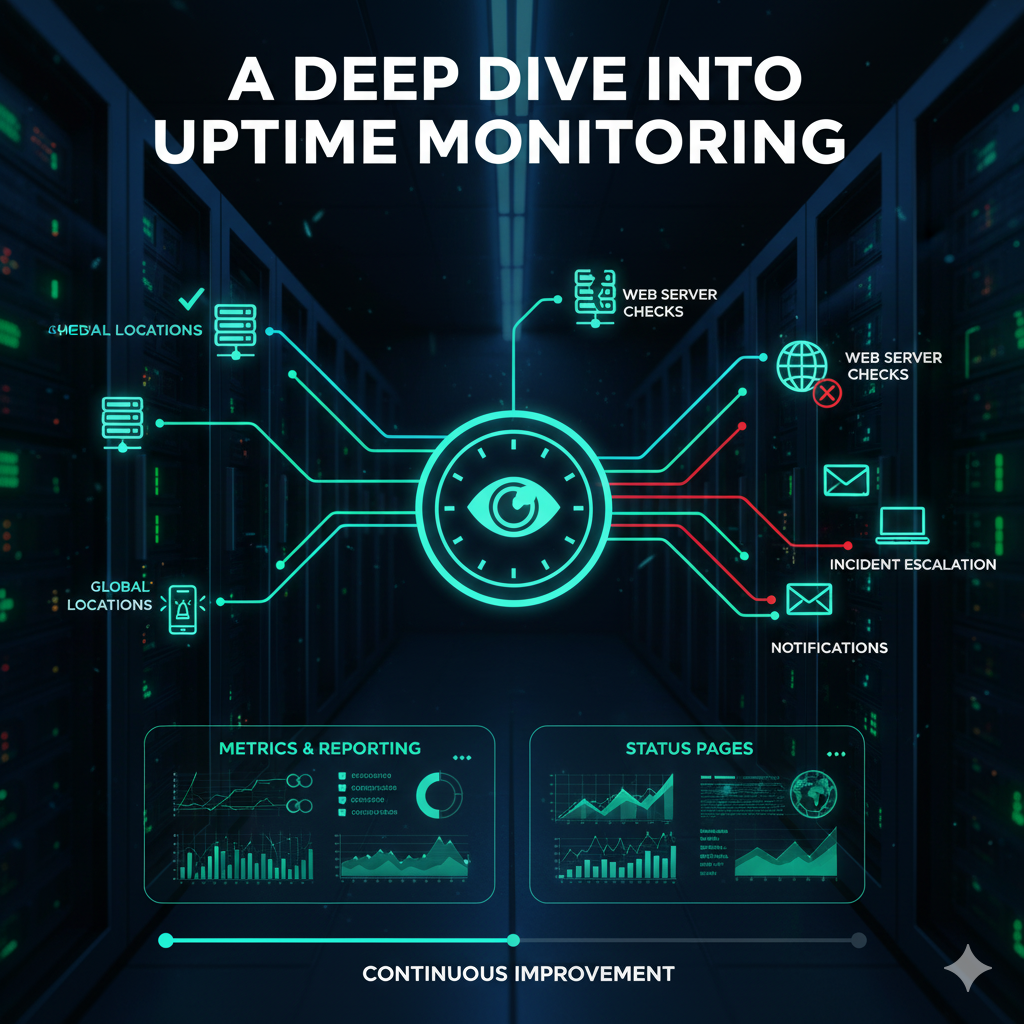
In the modern digital landscape, uptime is crucial for any business, especially those reliant on web-based services and applications. Uptime monitoring ensures that websites and services are constantly available to users, enhancing user satisfaction and minimizing losses due to downtimes. This article dives deep into uptime monitoring—what it is, why it matters, and the best strategies and tools to ensure your websites and applications are always up and running.
What is Uptime Monitoring?
Uptime monitoring is the practice of checking the availability and performance of a website, server, or application at regular intervals. It ensures that the services are live and functioning properly by monitoring downtime and notifying the administrators when there is an issue. The goal is to detect service outages before customers do and resolve them quickly.
The Importance of Uptime Monitoring
Business Impact of Downtime
For businesses, especially those operating online, downtime can have severe consequences. Every minute of downtime can result in lost revenue, damaged reputation, and decreased customer trust. For eCommerce businesses, the cost of downtime can run into thousands of dollars per hour. For media outlets and news websites, downtime can result in lost traffic and missed opportunities for advertising revenue.
-
Loss of Revenue: If an eCommerce site is down, you’re missing out on sales.
-
Reputation Damage: Continuous downtime will lead customers to believe that your business is unreliable.
-
Customer Trust: Consistent uptime builds trust. If your site goes down frequently, users may be reluctant to return.
Benefits of Uptime Monitoring
Uptime monitoring ensures you can quickly identify and respond to issues, minimizing the negative impact on your business.
-
Early Detection: With constant monitoring, you can spot outages before they affect end users.
-
Proactive Issue Resolution: Uptime monitoring alerts help you resolve issues faster, avoiding long-lasting downtime.
-
Data Insights: Uptime monitoring tools often come with detailed reports and analytics, helping IT teams understand recurring issues or weak points in the infrastructure.
Legal and Compliance Implications
For certain industries, uptime is critical for compliance. For example, healthcare applications and financial platforms must adhere to strict uptime requirements due to regulations like HIPAA and PCI-DSS.
-
Regulatory Compliance: Legal mandates often require businesses to maintain specific service levels and uptime standards. Failure to do so can result in penalties.
-
SLAs (Service-Level Agreements): Many businesses offer uptime guarantees. Monitoring uptime is essential to ensure that you meet these promises.
Key Uptime Monitoring Metrics and KPIs
Uptime Percentage
The most commonly used metric to measure uptime is the uptime percentage. It is the ratio of time a website or service is available to the total time.
For example:
-
99.9% uptime means the system is down for around 8.77 hours per year.
-
99.99% uptime means the system is down for only about 52.6 minutes per year.
Businesses aiming for high-availability services should strive for 99.99% uptime or higher.
Mean Time Between Failures (MTBF)
MTBF measures the average time between failures in a system. It is calculated by dividing the total operational time by the number of failures. A higher MTBF indicates a more reliable system.
Mean Time to Recovery (MTTR)
MTTR measures the average time it takes to recover from a system failure. The shorter the MTTR, the better the recovery process. Uptime monitoring tools help minimize MTTR by providing quick alerts and insights into what went wrong.
Response Time and Latency
While uptime monitoring primarily focuses on availability, performance metrics like response time and latency are also essential. Slow page load times can drive users away, even if the site is technically “up.”
-
Response Time: The time it takes for the server to respond to a request.
-
Latency: The delay between sending a request and receiving a response from the server.
These metrics are especially crucial for businesses serving international customers, where latency can differ based on the geographic distance to the server.
Best Practices for Effective Uptime Monitoring
Set Up Multiple Monitoring Locations
It is essential to monitor uptime from different geographic locations to get an accurate picture of your website’s global availability. A site might be up from one location but down in another due to regional issues.
Monitor Application and Server Health
Beyond just checking if a site is up, you should also monitor your server’s health and application performance. For example, checking CPU usage, memory utilization, and disk space can give early warnings of potential downtime due to resource exhaustion.
Establish Escalation Procedures
In case of downtime, set up clear escalation procedures so that the right team members are notified at the right time. This minimizes response time and ensures a swift resolution.
-
First-Level Response: IT team receives a basic alert about downtime.
-
Second-Level Response: Senior admins get an alert if the issue is not resolved within a specific period.
-
Third-Level Response: A dedicated team or external experts are notified for high-impact issues.
Automate Recovery Actions
If your monitoring solution supports automation, consider configuring automated actions for common issues, such as restarting a service or clearing cache. This can significantly reduce MTTR.
Test Your Monitoring System Regularly
To ensure your uptime monitoring system is functioning properly, regularly test it by intentionally causing brief disruptions and verifying that alerts are triggered.
Uptime Monitoring Tools
Paid Tools for Comprehensive Monitoring
Many IT professionals turn to paid uptime monitoring tools due to their advanced features and reliability. These tools often offer comprehensive reports, analytics, and more granular monitoring options.
-
Pingdom: One of the most popular uptime monitoring tools, Pingdom offers detailed uptime reports and performance tracking.
-
UptimeRobot: UptimeRobot offers a freemium model and provides monitoring for both uptime and response time.
-
New Relic: A comprehensive monitoring and analytics tool that goes beyond uptime to measure application performance and server health.
Open-Source Monitoring Solutions
For those looking for a cost-effective solution or who prefer more control over their monitoring, open-source tools can be a great option.
-
Zabbix: A powerful open-source monitoring solution that can track a wide variety of metrics, including uptime, server performance, and application health.
-
Nagios: A popular choice for monitoring IT infrastructure. Nagios offers both free and enterprise versions with features for uptime, resource utilization, and alerting.
Cloud-Based Monitoring Services
Cloud-based monitoring tools often offer scalable, pay-as-you-go models and allow you to monitor services across multiple servers and environments, including the cloud.
-
Datadog: Known for monitoring cloud infrastructure and services, Datadog also tracks uptime, response time, and application performance across different systems.
-
StatusCake: Another popular tool for uptime monitoring with cloud-based infrastructure, providing real-time alerts via email, SMS, or integrations with Slack.
Troubleshooting Downtime with Uptime Monitoring
Diagnosing the Root Cause of Downtime
Once you receive an alert for downtime, the next step is diagnosing the root cause. Uptime monitoring tools typically provide logs and performance metrics that can help trace the cause. Here are some common issues:
-
Server Failures: Check server logs to identify if there was a hardware failure, misconfiguration, or resource exhaustion.
-
Network Connectivity: Ensure that there are no DNS issues or problems with the routing between the server and the end users.
-
Application Errors: Look at your application logs (e.g., error logs for WordPress, Joomla, or custom apps) to see if the issue is related to code or service crashes.
Implementing Redundancy and Failover Solutions
To minimize the impact of downtime, ensure that your system is fault-tolerant. Set up failover systems and load balancing to distribute traffic across multiple servers in case one server goes down. This ensures users experience minimal disruptions.
-
DNS Failover: Configure DNS failover to point users to a backup server when the primary server is down.
-
Load Balancers: Use load balancing techniques to distribute traffic across multiple instances of an application or website.
Uptime Monitoring for Different Types of Websites and Applications
E-commerce Websites
E-commerce websites require near-perfect uptime as any downtime directly impacts sales. For these businesses, it’s crucial to monitor both the website and payment processing systems.
SaaS Applications
For Software as a Service (SaaS) platforms, uptime is paramount. Any disruption can lead to a poor user experience and potentially lost customers. It’s important to monitor service-level metrics and application availability, not just the website’s uptime.
Media and Content Sites
Media sites with time-sensitive content need uptime monitoring to ensure articles, videos, and ads are served to users without interruption. Fast response times and high availability are critical to attracting and retaining visitors.
Сообщения не найдены
Написать отзыв