Anmelden | Registrieren
Sign in to get more opportunities
- 3/8, North Pirerbag
- 60 Feet Main Road
- Mirpur, Dhaka 1216
- +880-967-8247365
- support@informatix.systems

Advanced Docker & Containers Strategies for IT Professionals
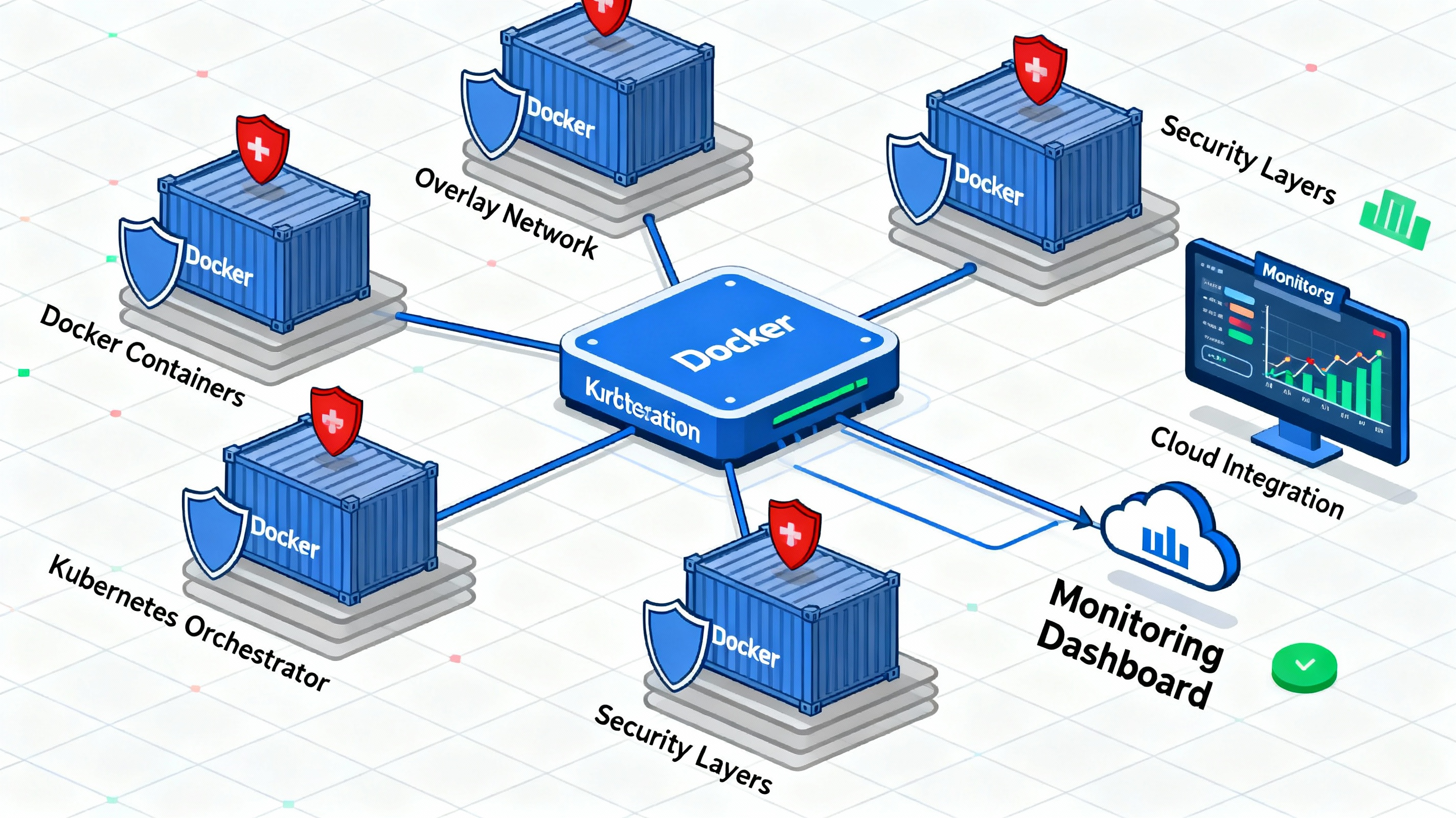
In recent years, containerization has revolutionized the way software is developed, deployed, and maintained. With Docker leading the charge, containers have become the go-to solution for IT professionals looking to streamline application development, improve scalability, and enhance performance. As businesses increasingly rely on microservices, cloud-native applications, and DevOps practices, the need for advanced containerization strategies is more critical than ever.Docker, in particular, has emerged as the standard for creating, deploying, and managing containers. But while the basic concepts of Docker and containers are widely understood, it is the advanced strategies that separate the novices from the experts. As IT professionals looking to optimize Docker in complex, real-world environments, mastering advanced container strategies is essential for achieving high performance, scalability, and security.In this blog post, we’ll dive into advanced Docker and container strategies, focusing on topics such as container orchestration, CI/CD pipelines, container security, performance optimization, and troubleshooting. By the end of this guide, you’ll have a comprehensive understanding of how to maximize the potential of Docker and containers for enterprise-level applications.
Understanding Docker & Containers: A Quick Recap
Before diving into advanced strategies, it’s crucial to have a clear understanding of Docker and containers.
What is Docker?
Docker is an open-source platform that enables developers to automate the deployment, scaling, and management of applications within containers. Containers are lightweight, isolated environments that package all the necessary components (code, libraries, dependencies) to run an application. Docker abstracts the underlying infrastructure, allowing applications to run consistently across different environments (development, staging, production).
What are Containers?
Containers are virtualized environments that provide a lightweight way to isolate applications from the host system. Unlike virtual machines (VMs), which run entire operating systems, containers share the host OS kernel while providing isolated environments for applications. This makes containers more resource-efficient and faster to deploy.
Why Containers are Essential for Modern IT?
Containers allow IT professionals to:
-
Develop once and deploy anywhere: Containers ensure that applications run consistently across different environments, whether on a developer's local machine, in testing, or in production.
-
Improve scalability: Containers are lightweight and can be quickly spun up or down to handle varying loads, making them ideal for microservices-based architectures.
-
Increase efficiency: Containers share the host OS kernel, which makes them more resource-efficient than traditional virtual machines.
Advanced Docker Strategies
Once you have a solid foundation in Docker and containers, you can begin implementing advanced strategies to optimize their use. Here, we'll explore several advanced Docker strategies that IT professionals should be aware of.
Optimizing Dockerfile for Efficient Builds
The Dockerfile is a text file containing instructions to build a Docker image. Optimizing Dockerfiles for efficient builds can significantly reduce image size, speed up deployments, and reduce resource consumption.
-
Leverage cache efficiently: Docker builds are cached by default, but improper ordering of instructions in the Dockerfile can lead to inefficient caching. Place less frequently changing commands (like
COPYandRUNfor installing dependencies) earlier in the Dockerfile. -
Minimize the number of layers: Each Dockerfile instruction (e.g.,
RUN,COPY) creates a new layer. Combining commands in a singleRUNstatement can reduce the number of layers in the final image.
Container Orchestration with Kubernetes
As containers become central to application development, managing and orchestrating them at scale becomes a challenge. Kubernetes is the leading container orchestration platform, designed to automate deployment, scaling, and management of containerized applications.
Why Kubernetes?
Kubernetes provides a powerful set of tools to manage containers at scale. It automates tasks such as load balancing, service discovery, rolling updates, self-healing (via pod restarts), and horizontal scaling.
Key Kubernetes Concepts to Understand:
-
Pods: The smallest deployable unit in Kubernetes, a pod encapsulates one or more containers.
-
Services: Kubernetes services define how to access a set of pods. They provide stable IPs and DNS names for pods.
-
Deployments: A deployment defines the desired state for your application and ensures that the right number of pods are running at any given time.
Strategies for Kubernetes Success:
-
Use namespaces: Namespace isolation allows you to separate environments (e.g., development, staging, production) and organize resources.
-
Implement horizontal pod autoscaling: Automatically scale the number of pods based on CPU or memory usage to handle varying loads.
-
Leverage Helm charts: Helm is a package manager for Kubernetes that simplifies the deployment of complex applications using pre-configured templates.
Continuous Integration and Continuous Deployment (CI/CD)
In the modern DevOps world, Continuous Integration (CI) and Continuous Deployment (CD) are critical for delivering applications quickly and efficiently. Docker and containers play a key role in streamlining these processes.
CI/CD with Docker
Docker containers allow you to create consistent environments for your CI/CD pipelines, reducing the likelihood of errors due to environment discrepancies.
Best Practices for Implementing Docker in CI/CD Pipelines:
-
Automated Builds and Tests: Use Docker to automate the process of building, testing, and deploying your application. Each time code is committed, a Docker image is built, and the necessary tests are run in the same environment that will be used in production.
-
Use CI/CD platforms: Platforms like Jenkins, GitLab CI, and CircleCI offer built-in Docker integration. You can easily create pipelines that use Docker images to ensure consistent builds and deployments.
-
Push Docker images to a registry: After building your Docker image, push it to a registry (such as Docker Hub or a private registry) to make it available for deployment across different environments.
Docker Compose for Multi-Container Applications
In many modern applications, multiple containers need to work together. Docker Compose is a tool that allows you to define and manage multi-container Docker applications.
Benefits of Docker Compose in CI/CD:
-
Simplified multi-container management: With a single
docker-compose.ymlfile, you can define services, networks, and volumes for your application. -
Local development environment: Docker Compose can be used to spin up an entire local development environment that mirrors your production environment.
Docker Security Best Practices
While Docker provides powerful capabilities for managing containers, it’s important to implement security best practices to safeguard your containers and applications from vulnerabilities.
Use Trusted Images
Always use trusted and official images from Docker Hub or other reputable sources. Avoid using unverified third-party images, as they may contain security vulnerabilities or malicious code.
Minimize the Attack Surface
-
Use minimal base images: Use lightweight images such as Alpine to reduce the attack surface. Alpine images are small and free of unnecessary packages, making them more secure.
-
Avoid running containers as root: Run your containers with the least privileged user to reduce the impact of a potential security breach.
Regularly Scan Images for Vulnerabilities
Use tools like Docker Bench for Security, Clair, or Trivy to regularly scan your images for known vulnerabilities. These tools can help detect issues early in the development pipeline.
Secure Container Communication
Use Docker networks to control communication between containers. By isolating containers into specific networks, you can prevent unauthorized access and reduce the risk of a security breach.
Advanced Docker Networking Strategies
Networking plays a pivotal role in containerized applications, especially when deploying microservices and distributed systems. Docker offers several networking modes that allow you to control how containers communicate with each other and the outside world.
Types of Docker Networks
-
Bridge Network: This is the default network mode for containers when no specific network is defined. Containers can communicate with each other through this network, but external communication needs to be set up manually.
-
Host Network: Containers use the host machine’s network stack, which can improve performance but reduces network isolation.
-
Overlay Network: Used for multi-host networking, overlay networks allow containers to communicate across different Docker hosts. This is ideal for services running on different machines or in a Kubernetes cluster.
Docker Networking Strategies for Microservices
-
Service Discovery: Use tools like Consul or Etcd to provide service discovery for your microservices, allowing them to locate each other dynamically.
-
Load Balancing: Docker supports load balancing through its internal routing system, or you can use external tools like Traefik or NGINX to route traffic between containers.
Troubleshooting and Debugging Docker Containers
Even with advanced strategies in place, troubleshooting Docker containers is an inevitable part of the development process.
Common Docker Issues and Fixes
-
Container Not Starting: Check the container logs using
docker logs <container_name>. Ensure the necessary dependencies are available in the container. -
Port Binding Issues: If a container isn't accessible via the desired port, ensure that the correct ports are mapped in the Docker run command or
docker-compose.ymlfile. -
Memory or CPU Limits: Containers may fail if they exceed resource limits. Use
docker statsto monitor resource usage, and adjust memory or CPU limits accordingly.
Advanced Debugging Techniques
-
Attach to Running Containers: Use
docker exec -it <container_name> /bin/bashto access a running container and debug interactively. -
Docker Events: Use
docker eventsto get a stream of real-time events from the Docker daemon. This can help identify issues like container crashes or network issues. -
Use Debugging Tools: Tools like gdb, strace, and docker attach allow you to debug running containers more effectively.
Keine Beiträge gefunden.
Rezension verfassen