Anmelden | Registrieren
Sign in to get more opportunities
- 3/8, North Pirerbag
- 60 Feet Main Road
- Mirpur, Dhaka 1216
- +880-967-8247365
- support@informatix.systems

Common CI/CD Pipelines Mistakes and How to Avoid Them
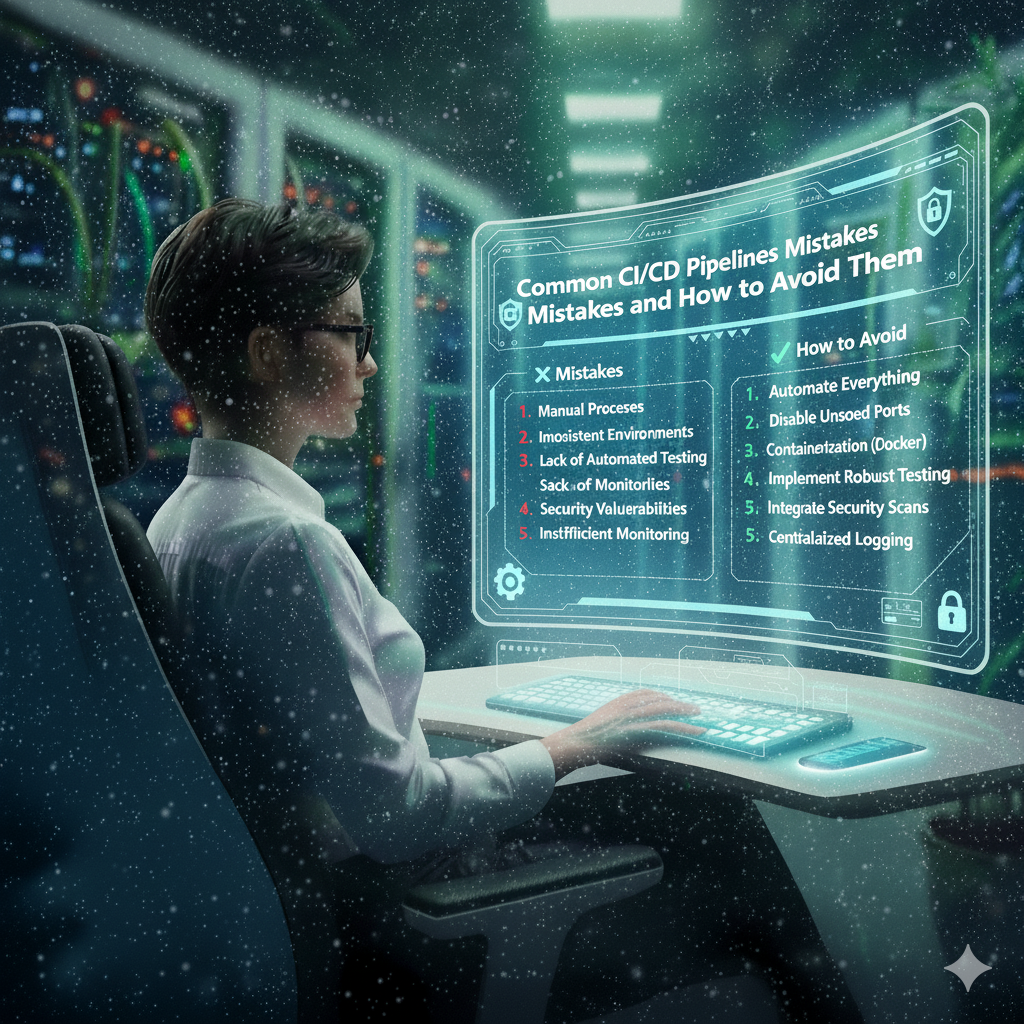
Continuous Integration and Continuous Deployment (CI/CD) pipelines are vital to modern software development, enabling rapid delivery of high-quality software. However, setting up and managing these pipelines can be tricky. Despite the potential for massive efficiency gains, mistakes in CI/CD pipeline setups can lead to slower releases, broken builds, and deployment failures. In this post, we'll explore some of the most common CI/CD pipeline mistakes and offer advice on how to avoid them.
What is CI/CD?
Before diving into mistakes, let’s briefly recap what CI/CD is and why it’s essential for developers.
Continuous Integration (CI) involves automating the process of integrating code changes from multiple contributors into a shared codebase. This process typically involves automated testing to ensure that new changes do not break existing functionality.
Continuous Deployment (CD) extends CI by automating the release of code into production. Every change that passes through the CI pipeline gets deployed to the production environment, ensuring faster and more reliable software delivery.
Not Automating the Entire Pipeline
The Mistake
One of the most common errors is to automate parts of the pipeline while leaving others to be done manually. This leads to inconsistencies in builds, tests, and deployments. It also creates bottlenecks, as teams need to intervene manually at different stages.
How to Avoid It
To avoid this mistake, ensure that your entire CI/CD pipeline is automated. This includes everything from code integration and testing to deployment. Tools like Jenkins, GitLab CI/CD, and CircleCI provide powerful automation features that can automate the full process.
-
Automate Testing: Ensure that unit tests, integration tests, and UI tests are run automatically as part of the pipeline.
-
Automate Deployments: Set up auto-deployment to various environments, from staging to production.
Ignoring Test Automation
The Mistake
Test automation is a core aspect of CI/CD, but many teams fail to automate enough tests or even skip automated tests entirely. This can lead to errors slipping through the cracks, resulting in bugs in production.
How to Avoid It
Make sure that your CI/CD pipeline includes a comprehensive suite of automated tests. Here’s how:
-
Unit Testing: Ensure unit tests run on every code commit to check individual pieces of code.
-
Integration Testing: Automatically run integration tests to verify that different modules of the application work together correctly.
-
End-to-End Testing: Automate end-to-end tests to simulate user interactions with your application.
-
Test Coverage: Ensure sufficient test coverage to catch edge cases and prevent regressions.
Not Using Feature Branches or Using Them Improperly
The Mistake
Some teams either fail to use feature branches or misuse them. This can lead to massive merge conflicts and broken code in the main branch. Committing directly to the main branch can also lead to untested code being deployed to production.
How to Avoid It
Use feature branches for each new feature or bug fix. Follow these practices:
-
Create Separate Branches: Develop new features or fix bugs in their own branches, separate from the main or master branch.
-
Merge Often: Frequently merge the main branch into your feature branch to keep it up-to-date and reduce conflicts.
-
Use Pull Requests: Ensure all changes go through pull requests and are peer-reviewed before being merged into the main branch.
Not Monitoring CI/CD Pipeline Performance
The Mistake
CI/CD pipelines can become slow over time, especially as the codebase grows. Failing to monitor the performance of your CI/CD pipeline can lead to delays, wasting both time and resources.
How to Avoid It
Implement monitoring and performance tracking for your CI/CD pipelines:
-
Track Build Times: Monitor how long builds and tests take. If performance degrades, look into optimizing the build process.
-
Parallelization: Run tests in parallel where possible to reduce the overall pipeline time.
-
Use Caching: Cache dependencies and build artifacts to speed up your builds and avoid redundant work.
Not Using Version Control for CI/CD Pipeline Configurations
The Mistake
CI/CD pipeline configurations themselves should be treated as code and versioned in version control. Some teams ignore this, making it difficult to manage and update pipeline configurations over time.
How to Avoid It
Store your CI/CD configuration files in a Git repository, just like your application code. This way, changes to the pipeline can be tracked, and you can revert to previous versions if necessary. Most CI/CD tools like Jenkins, GitLab, and CircleCI allow you to store configuration files (such as .yaml or .json) in the same repository as your application.
Mistake 6: Overcomplicating the Pipeline
The Mistake
While it’s tempting to create sophisticated CI/CD pipelines with complex stages and conditions, this often results in slower builds and harder maintenance. Overcomplicating the pipeline can lead to confusion, errors, and delays.
How to Avoid It
Keep your CI/CD pipeline simple and maintainable. Here are some tips:
-
Start Simple: Start with a basic pipeline that integrates code, runs tests, and deploys. Gradually improve it as needed.
-
Modularize: Break down complex tasks into smaller, manageable jobs or steps. This makes the pipeline easier to maintain.
-
Document the Pipeline: Maintain good documentation for the CI/CD pipeline, so the entire team understands how it works and can troubleshoot issues when they arise.
Failing to Handle Secrets and Sensitive Data Properly
The Mistake
Storing sensitive information, such as API keys, passwords, and credentials, in plain text or hardcoding them into the pipeline configurations is a critical security risk.
How to Avoid It
Use environment variables or secure secret management tools to store sensitive data. Here’s how to secure your pipeline:
-
Secret Management Tools: Use tools like HashiCorp Vault, AWS Secrets Manager, or GitLab’s CI/CD secrets manager to securely handle sensitive data.
-
Environment Variables: Store keys and credentials as environment variables, ensuring they are only available to authorized users or applications.
-
Never Hardcode Secrets: Never hardcode secrets in source code or configuration files.
Skipping the Rollback Plan
The Mistake
No deployment process is foolproof. If a deployment fails or produces a bug in production, it’s essential to have a rollback plan. Failing to plan for rollbacks can lead to extended downtime or broken services.
How to Avoid It
Ensure that your CI/CD pipeline includes mechanisms for easy rollbacks:
-
Automated Rollbacks: Set up automated rollback scripts that can quickly revert the application to the previous stable version in case of failure.
-
Blue/Green Deployments: Implement blue/green or canary deployments to minimize the risk of deployment failures impacting users.
-
Monitoring Post-Deployment: Use monitoring tools to detect issues quickly after deployment, so you can roll back promptly if necessary.
Not Testing in Staging Before Production
The Mistake
Skipping the staging environment is a dangerous mistake. Deploying directly to production without testing in a staging environment can result in undetected bugs affecting end users.
How to Avoid It
Ensure your CI/CD pipeline has separate environments for development, staging, and production:
-
Staging Environment: Always deploy to a staging environment that mirrors your production environment as closely as possible. Test your code there before pushing it to production.
-
Automated Deployment to Staging: Set up automated deployment to the staging environment as part of the CI/CD pipeline, so all changes are thoroughly tested before being released to production.
Not Keeping Up with CI/CD Best Practices
The Mistake
CI/CD tools, technologies, and best practices evolve constantly. Teams that don’t stay up-to-date with the latest advancements risk falling behind, missing out on improvements that can enhance their pipeline’s speed and reliability.
How to Avoid It
-
Stay Informed: Regularly check for updates in your CI/CD tools and explore new features.
-
Review Your Pipeline: Periodically review your pipeline for possible improvements and optimizations.
-
Community Engagement: Engage with the CI/CD community through forums, blogs, and conferences to learn about best practices and new tools.
Keine Beiträge gefunden.
Rezension verfassen