- 3/8, North Pirerbag
- 60 Feet Main Road
- Mirpur, Dhaka 1216
- +880-967-8247365
- support@informatix.systems

Common DNS Configuration Mistakes and How to Avoid Them
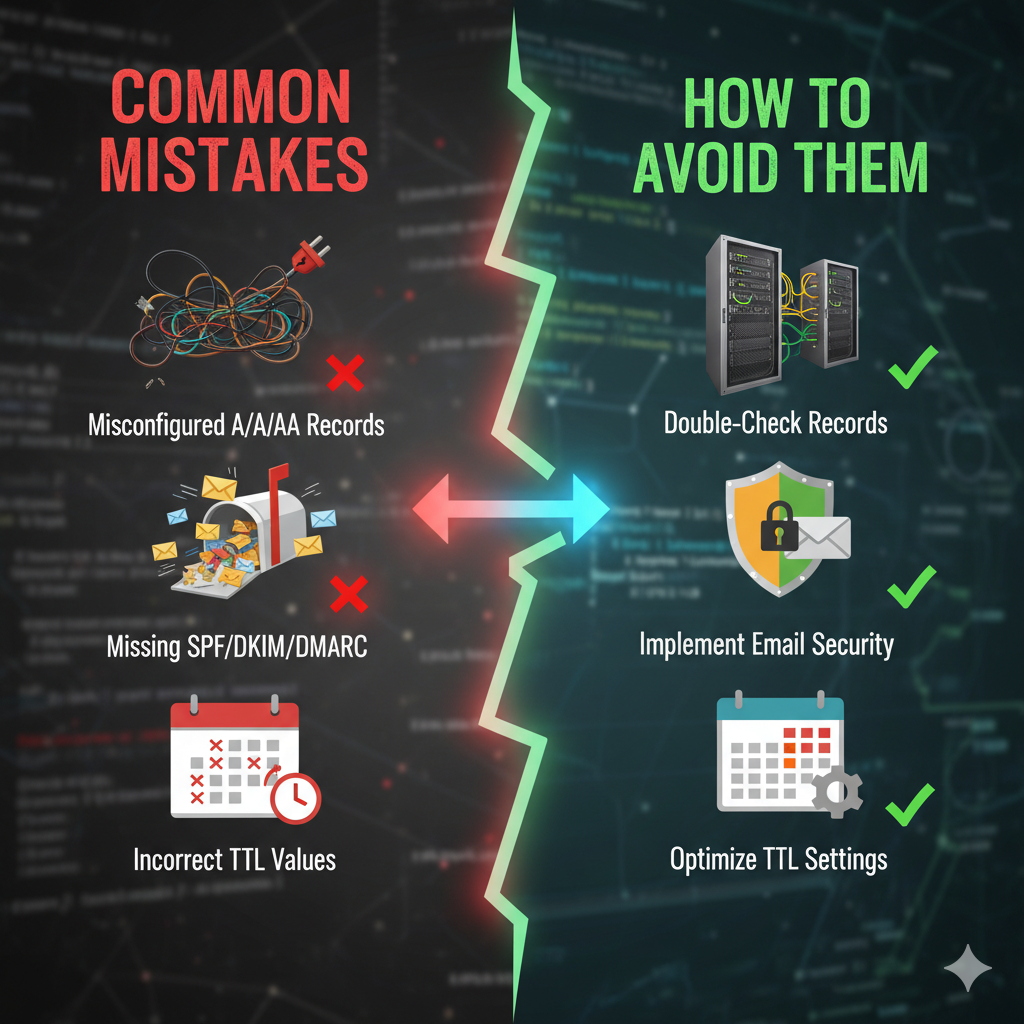
The Domain Name System (DNS) is the backbone of the internet, translating human-readable domain names into IP addresses that computers use to communicate. Despite its critical role, DNS configuration is often overlooked or mismanaged, leading to performance bottlenecks, security vulnerabilities, and accessibility issues. In this comprehensive guide, we’ll explore the most common DNS configuration mistakes, their impact, and best practices to ensure a reliable and secure DNS setup. Whether you're managing eCommerce platforms like CS-Cart, cloud hosting on Plesk, or cybersecurity solutions for Informatix Systems, getting DNS right can prevent downtime and boost user trust.
Understanding DNS Basics
What is DNS?
DNS stands for Domain Name System, a global, distributed database that acts like the internet's phonebook. It maps user-friendly domain names (e.g., www.example.com) to machine-readable IP addresses (e.g., 192.0.2.1). Without DNS, you'd have to memorize strings of numbers to visit websites, send emails, or access services. DNS operates hierarchically: root servers at the top, followed by top-level domain (TLD) servers (.com, .bd), authoritative name servers for your domain, and finally recursive resolvers on user devices. For businesses in Bangladesh running Apple service centers or web hosting, DNS ensures seamless access to product catalogs, repair booking pages, and email servers. A single misstep here can cascade into lost sales or frustrated customers.
How DNS Works
The DNS resolution process unfolds in milliseconds but involves multiple steps:
- A user types www.yourdomain.bd into their browser.
- The device's stub resolver checks its local cache; if no match, it queries the configured recursive resolver (e.g., ISP DNS or Google DNS at 8.8.8.8).
- The recursive resolver iteratively queries root servers, TLD servers, and your authoritative DNS server.
- It receives the IP address, caches it based on TTL, and returns it to the device.
- The browser connects to the server.
This chain highlights why errors at any link, yours or upstream, cause failures. In high-traffic eCommerce setups, delays here mean abandoned carts.
Key DNS Record Types
Mastering records is foundational. Here's a breakdown:
- A Record: Maps a domain to an IPv4 address (e.g., example.com → 192.0.2.1). Essential for websites.
- AAAA Record: Same for IPv6 (e.g., example.com → 2001:db8::1). Critical as IPv6 adoption grows in regions like South Asia.
- CNAME Record: Creates an alias (e.g., www → example.com). Useful for subdomains, but can't coexist with other records on the same name.
- MX Record: Directs email (e.g., mail.example.com with priority 10). Multiple MXs provide failover.
- TXT Record: Holds text data for SPF (anti-spam), DKIM (email signing), DMARC (policy enforcement), and verification tokens.
- Other notables: NS (name servers), PTR (reverse DNS), SRV (service location), CAA (certificate authorities).
Pro tip: Use tools like dig or nslookup to query records, e.g.
Common DNS Configuration Mistakes
DNS errors plague even seasoned admins. Let's dissect the top issues with real-world impacts and fixes.
Incorrect DNS Record Configuration
The Problem: Typos in A/AAAA records point traffic to the wrong IPs, making sites unreachable. Missing MX halts email; duplicate or conflicting CNAMEs (e.g., on apex domains) trigger NXDOMAIN errors.
Impact: For an eCommerce site on CS-Cart, this means checkout failures during peak sales. In Bangladesh's competitive hosting market, one outage flags you as unreliable.
Real Example: A Plesk-hosted site sets an A record to 192.0.2.999 (invalid IP), users see that the site can't be reached.
How to Avoid:
- Validate entries with DNS lookup tools like MXToolbox or DNSChecker.org before saving.
- Use automation: Scripts in Bash or Python to diff intended vs. actual records.
- Test propagation: Flush caches with (Windows) or (Linux).
- Best Practice: Dual-stack IPv4/IPv6; set www as CNAME to apex for flexibility.
Overlooking DNS Security
The Problem: Skipping DNSSEC exposes domains to DNS spoofing (Kaminsky attack), where attackers poison caches with fake IPs. No DNS firewall lets malware domains resolve.
Impact: Hijacked traffic leads to phishing or ransomware. In cybersecurity-focused setups like Informatix Systems, these breaches client trust.
Real Example: 2010's Operation Aurora exploited weak DNS for targeted attacks.
How to Avoid:
- Enable DNSSEC: Generate DS, KSK, ZSK keys via your registrar (e.g., Cloudflare, Namecheap). Tools like dnssec-verify check chains.
- Deploy DNS firewalls (e.g., Cloudflare Gateway, Quad9) to block malicious domains.
- Rate-limit queries to thwart DDoS.
- Example Config (BIND): Add and sign zones.
Misconfigured Reverse DNS (rDNS)
The Problem: rDNS (PTR records) maps IPs back to domains. Mail servers without matching PTRs get blacklisted by Gmail and Outlook.
Impact: Emails to .bd businesses bounce as spam, killing marketing campaigns.
Real Example: Hosting provider IPs without rDNS see 90% deliverability drops per Postmaster Tools.
How to Avoid:
- Request PTR from your ISP/host (e.g., via Plesk ticket).
- Match forward/reverse: should return your domain.
- For dedicated servers, set in the server panel: IP → mail.yourdomain.bd.
DNS Propagation Delays
The Problem: TTL dictates cache duration. High TTL (e.g., 86400s = 1 day) slows changes during migrations.
Impact: Users hit old IPs post-update, confusing dynamic eCommerce environments.
Real Example: Site migration fails because global caches hold stale A records for 24 hours.
How to Avoid:
- Pre-change: Drop TTL to 300s a day prior.
- Monitor with whatsmyip.org or global DNS propagators.
- Use CDNs like Cloudflare for instant anycast propagation.
Using Default or Unreliable DNS Providers
The Problem: ISP DNS (e.g., BTCL in Bangladesh) is slow, censored, or logs queries insecurely.
Impact: High latency hurts SEO; privacy leaks expose users.
Real Example: Slow resolution tanks Core Web Vitals, dropping Google rankings.
How to Avoid:
Switch to:
| Provider | IPs | Strengths |
|---|---|---|
| Cloudflare | 1.1.1.1 | Fast, privacy-focused, DDoS protection |
| 8.8.8.8 | Reliable, global anycast | |
| Quad9 | 9.9.9.9 | Security filtering |
| OpenDNS | 208.67.222.222 | Family-safe, customizable |
Configure in Plesk or router DHCP.
Ignoring TTL Settings
The Problem: TTL too high (slow updates); too low (query floods authoritative servers).
Impact: Overloaded servers crash during traffic spikes.
How to Avoid:
- Static sites: 3600s.
- Dynamic (e.g., eCommerce): 300-600s.
- Formula: TTL = expected change frequency × safety margin.
Lack of Monitoring and Alerts
The Problem: No visibility into outages.
Impact: Downtime costs $5K/min for enterprises.
How to Avoid:
- Tools: UptimeRobot (free DNS checks), Pingdom, Datadog.
- Alerts: Slack/Email on resolution failures.
- Script: Cron job with
Failing to Document DNS Changes
The Problem: Verbal handoffs lead to orphan records.
Impact: Troubleshooting hell during incidents.
How to Avoid:
- Git for zone files.
- Log: Date, change, who, why.
- Template: 2026-02-26: Added MX for failover (admin@informatix).
Use Anycast DNS
Routes queries to the nearest server. Providers like Cloudflare reduce latency by 50ms globally, vital for .bd users.
Optimize DNS Caching
Cuts external queries by 90%.
Additional Pro Tips
- Geo-DNS: Route .bd traffic to local servers.
- Load Balancing: Multiple A records.
- API Integration: Automate via AWS Route53 or Plesk API for CS-Cart deploys.
Avoiding common DNS mistakes is essential to maintaining a secure, fast, and reliable online presence. By understanding these pitfalls and following best practices, IT professionals can ensure their DNS infrastructure is optimized for both performance and security, crucial for eCommerce, hosting, and cybersecurity in Bangladesh. Stay tuned for our upcoming guide on Advanced DNS Security Strategies for IT Professionals.
Contact our expert team at support@informatix.systems.
No posts found
Write a review