Anmelden | Registrieren
Sign in to get more opportunities
- 3/8, North Pirerbag
- 60 Feet Main Road
- Mirpur, Dhaka 1216
- +880-967-8247365
- support@informatix.systems

Common Docker & Containers Mistakes and How to Avoid Them
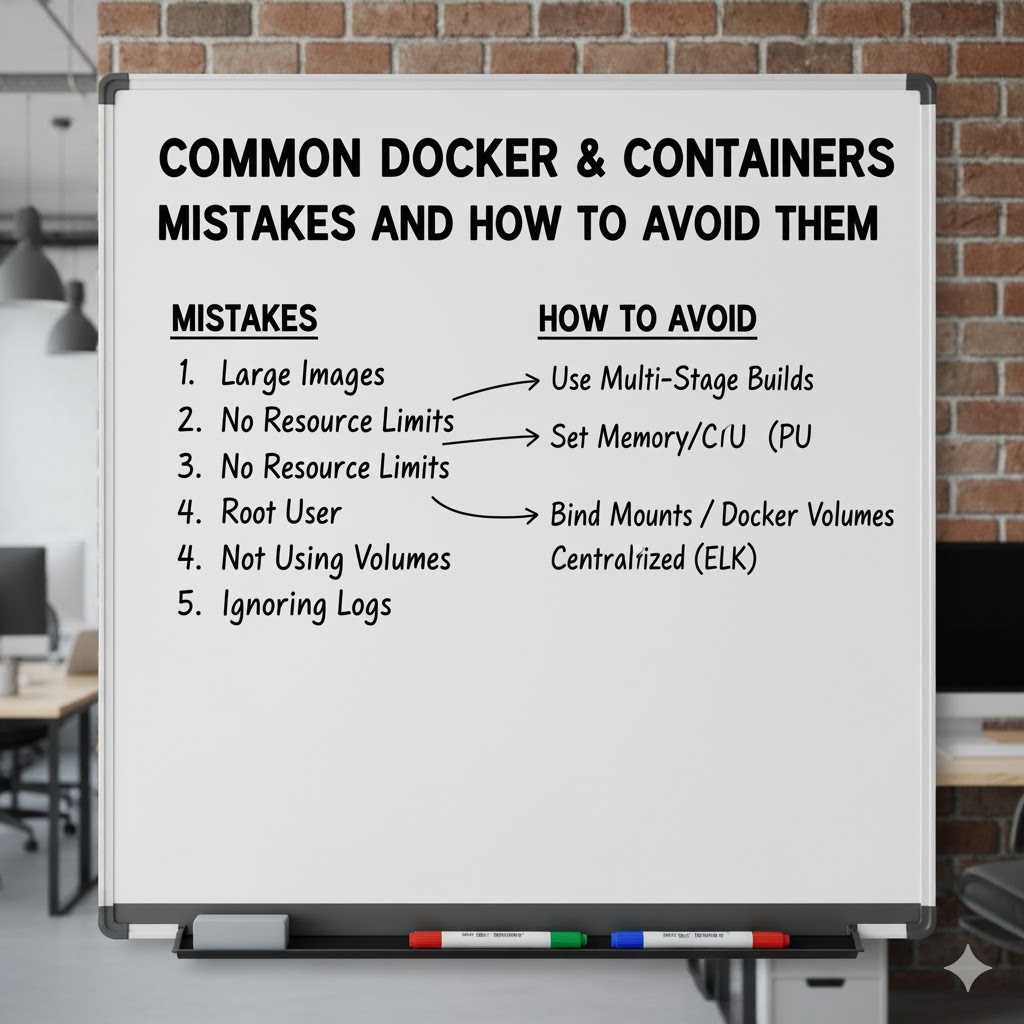
Docker and containerization technology have revolutionized the way developers build, deploy, and manage applications. By encapsulating applications and their dependencies in lightweight, portable containers, Docker allows developers to ensure that their applications run consistently across any environment.However, as with any powerful tool, Docker and containers come with their own set of challenges. Whether you are a beginner or an experienced DevOps professional, there are common mistakes that can derail the benefits Docker offers. Understanding these pitfalls and knowing how to avoid them is key to harnessing the full power of containerization.In this blog post, we will take an in-depth look at some of the most common Docker and containerization mistakes and offer practical solutions to help you avoid them. From poor container configuration to security missteps, this guide will ensure that your Docker implementation remains smooth, efficient, and secure.
Failing to Optimize Docker Images
The Issue of Large Docker Images
One of the most common mistakes developers make is creating unnecessarily large Docker images. Docker images that contain more dependencies or unnecessary files can lead to slower downloads, longer build times, and increased storage requirements. This can significantly hinder the efficiency of CI/CD pipelines and introduce performance bottlenecks.
How to Avoid It:
-
Minimize the Base Image: Always choose a minimal base image such as
alpineover larger alternatives likeubuntuunless you need the additional tools and libraries provided by those images. -
Multi-Stage Builds: Docker supports multi-stage builds, which allow you to build the application in one stage and only copy the necessary artifacts into the final image, stripping out unnecessary dependencies and files.
-
Avoid Installing Unnecessary Packages: Only install the packages you need. Avoid bloating your image with unnecessary tools or libraries.
-
Use .dockerignore: Much like
.gitignore, the.dockerignorefile can be used to exclude files and directories that are not required in the container. This helps to reduce image size.
Ignoring Container Security
Containers Are Not Immune to Security Issues
While containers provide an isolated environment, they are not inherently secure. A common mistake is assuming that Docker containers are secure simply because they run in isolation. Containers share the host system's kernel, which means that vulnerabilities in the container or its configuration can lead to potential security risks.
How to Avoid It:
-
Use Trusted Images: Only use official or trusted images from reputable sources like Docker Hub or private image registries.
-
Regularly Update Images: Containers need to be updated regularly with the latest security patches. Build a process to ensure you are always using up-to-date images.
-
Minimize Privileges: Run containers with the least privileges. Avoid running containers as root unless absolutely necessary. Use Docker’s user namespaces to assign non-privileged users.
-
Scan for Vulnerabilities: Use tools like Clair, Anchore, or Docker Security Scanning to scan container images for known vulnerabilities.
Poor Resource Management
Uncontrolled Resource Usage
Docker allows developers to run multiple containers simultaneously on a single host. However, one common mistake is not setting resource limits on containers. This can lead to excessive CPU, memory, or disk usage by a container, which can affect the performance of other containers and even crash the entire system.
How to Avoid It:
-
Set Resource Limits: Use Docker's resource management options to set limits for CPU and memory usage. This ensures that containers don’t consume more resources than intended.
-
Example: Use
--memoryand--cpuflags when running a container to restrict the container’s memory and CPU consumption.
-
-
Monitor Resource Usage: Continuously monitor the resources consumed by each container. Tools like cAdvisor, Prometheus, or Docker Stats can provide real-time insights into resource utilization.
-
Use Container Orchestration: When managing multiple containers, use container orchestration tools like Kubernetes to better manage resource allocation across containers.
Not Using Docker Volumes for Persistent Data
Storing Data in Containers
By default, Docker containers have ephemeral storage, meaning that any data written inside a container will be lost when the container stops or is removed. A common mistake is to store persistent data directly inside the container, which can result in data loss and make container management more complicated.
How to Avoid It:
-
Use Docker Volumes: Always use Docker volumes to store persistent data. Volumes are stored outside the container's filesystem, making it easier to manage and back up important data.
-
Example: When creating a container, use the
-voption to mount a volume for persistent storage.
-
-
Mount External Storage: If your containers need to access external databases or filesystems, mount external storage options to the container to manage data more effectively.
Mismanaging Container Networking
Poor Network Configuration
Networking is a critical aspect of Docker containers, especially when containers need to communicate with each other. A common mistake is not properly configuring the container’s network settings, which can result in connectivity issues, IP address conflicts, or insecure network setups.
How to Avoid It:
-
Use Docker Networks: Avoid using the default bridge network. Create custom networks to isolate your containers and manage their communication more effectively.
-
Example: Use
docker network createto create a custom bridge network and connect containers to that network for better isolation and communication.
-
-
Understand Network Modes: Docker supports different network modes such as bridge, host, and overlay. Understand when to use each mode and how it impacts container communication.
-
Set Proper DNS Settings: Containers can communicate with each other using container names as DNS entries. Ensure that DNS resolution is correctly set up to avoid connectivity issues.
Failing to Leverage Container Orchestration
Not Using Kubernetes or Docker Swarm
Many developers use Docker for managing individual containers but fail to implement container orchestration for managing large numbers of containers or services. Running Docker containers in a production environment without orchestration tools can lead to issues with scaling, load balancing, and high availability.
How to Avoid It:
-
Use Orchestration Tools: Implement container orchestration tools like Kubernetes or Docker Swarm to automate container management. These tools help with load balancing, scaling, fault tolerance, and managing complex multi-container applications.
-
Set Up Auto-Scaling: Orchestrators like Kubernetes can automatically scale your containers based on resource utilization, ensuring that you have enough instances running to meet demand.
Ignoring Logging and Monitoring
Lack of Centralized Logging
One of the most overlooked aspects of containerized environments is logging. Without proper logging and monitoring in place, troubleshooting and debugging containerized applications can become challenging.
How to Avoid It:
-
Implement Centralized Logging: Use centralized logging systems like ELK Stack (Elasticsearch, Logstash, and Kibana) or Fluentd to collect logs from all your containers in one place.
-
Monitor Containers: Use tools like Prometheus, Grafana, or Datadog to monitor the performance and health of your containers in real time.
-
Enable Container Logs: Ensure that your containers are logging relevant data and that logs are being properly captured. Use Docker's
--log-driverto choose an appropriate logging driver.
Not Considering Container Lifecycle Management
Inadequate Container Lifecycle Management
Containers, by nature, are ephemeral, but their lifecycle must still be managed effectively. A mistake often made is failing to properly clean up unused containers or images, leading to unnecessary consumption of system resources.
How to Avoid It:
-
Clean Up Regularly: Use commands like
docker system pruneto remove unused containers, networks, images, and volumes that are no longer needed. -
Set Up Automatic Cleanup: Implement automated cleanup processes to regularly remove old and unused containers or images, especially when working with CI/CD pipelines.
-
Monitor Container Health: Ensure that containers that are no longer responsive or healthy are stopped and restarted automatically using monitoring tools.
Not Understanding Docker’s Layered Architecture
Misunderstanding Docker Layers
Each Docker image is built in layers, with each layer representing a change made to the image. A common mistake is misunderstanding how these layers work, which can result in inefficient caching and slow builds.
How to Avoid It:
-
Leverage Caching: Docker uses layer caching to speed up image builds. Understand how caching works to structure your Dockerfile in a way that takes full advantage of layer caching.
-
Minimize Layers: Combine commands like
RUNinto a single instruction to minimize the number of layers in your images, improving efficiency and reducing image size. -
Understand Dockerfile Order: The order of instructions in your Dockerfile impacts layer caching. Place commands that change less frequently near the top of your Dockerfile.
Keine Beiträge gefunden.
Rezension verfassen