- 3/8, North Pirerbag
- 60 Feet Main Road
- Mirpur, Dhaka 1216
- +880-967-8247365
- support@informatix.systems

Common SSL & HTTPS Mistakes and How to Avoid Them
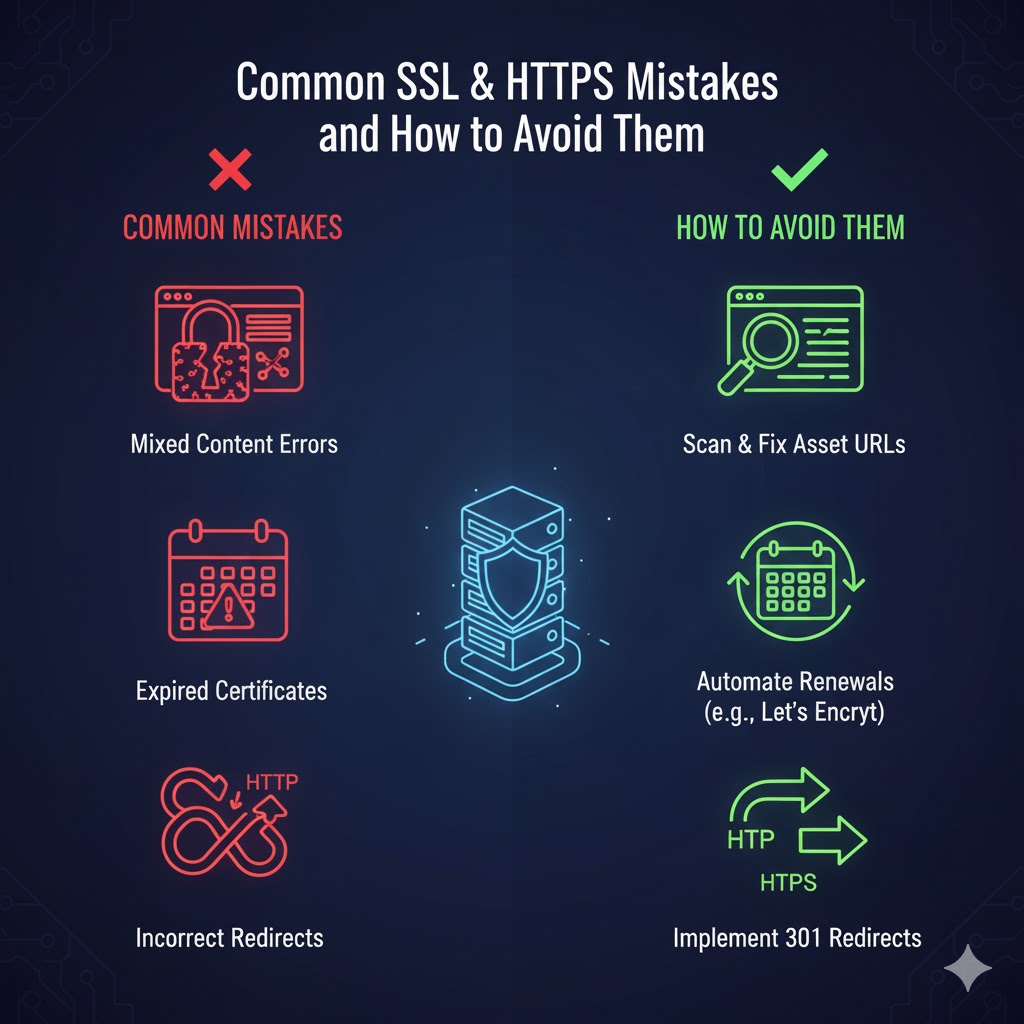
In today’s digital landscape, the importance of security cannot be overstated. Websites are constantly targeted by malicious actors, and the consequences of data breaches, identity theft, and other security incidents can be catastrophic for both businesses and their customers. One of the most critical aspects of online security is the use of SSL (Secure Sockets Layer) and HTTPS (HyperText Transfer Protocol Secure), which provide encrypted connections to protect sensitive data transmitted over the internet.However, while SSL and HTTPS are integral to securing websites, many website owners and administrators make mistakes when implementing or maintaining these technologies. These errors can lead to security vulnerabilities, performance issues, or even loss of trust from visitors. In this guide, we’ll dive into some of the most common SSL and HTTPS mistakes and provide actionable tips on how to avoid them.
SSL & HTTPS
Before we delve into the mistakes, let's briefly go over the basics of SSL and HTTPS.
What is SSL?
SSL, or Secure Sockets Layer, is a cryptographic protocol used to establish secure communication between a client (usually a web browser) and a server. SSL works by encrypting the data transferred between the server and the client, ensuring that sensitive information (such as passwords, credit card details, and personal data) cannot be intercepted or tampered with by malicious actors.While SSL is technically outdated and has been replaced by TLS (Transport Layer Security), the term “SSL” is still commonly used to refer to the secure protocols in use today. For clarity, many now use SSL/TLS when discussing secure connections.
What is HTTPS?
HTTPS stands for HyperText Transfer Protocol Secure. It is the secure version of HTTP, the protocol used to transfer data between a web browser and a server. HTTPS uses SSL/TLS encryption to protect the integrity and confidentiality of data in transit.When your website is configured with HTTPS, it means all communication between the server and the browser is encrypted, safeguarding your users from attacks like man-in-the-middle attacks and ensuring the privacy of their data.
The Importance of SSL & HTTPS for Your Website
Before jumping into the mistakes, it’s important to understand why SSL and HTTPS are essential for your website’s security:
-
Encryption: SSL/TLS encrypts the data exchanged between your website and its visitors, ensuring sensitive information remains confidential.
-
Authentication: SSL certificates verify that the website is legitimate, preventing attackers from impersonating your site (phishing).
-
SEO Ranking: Google has confirmed that HTTPS is a ranking factor, meaning secure websites are more likely to appear higher in search engine results.
-
User Trust: Websites with HTTPS are marked as secure in modern browsers (with a padlock icon), which increases trust and confidence in your website.
-
Compliance: Websites that handle sensitive customer information must comply with regulations like PCI-DSS and GDPR, which mandate the use of secure protocols like HTTPS.
Common SSL & HTTPS Mistakes and How to Avoid Them
Using an Expired SSL Certificate
One of the most common mistakes website owners make is allowing their SSL certificate to expire. SSL certificates typically have a validity period of one year or two years, after which they must be renewed.
Consequences of Expired SSL Certificates:
-
Security Risk: An expired certificate can lead to a loss of encryption, making your website vulnerable to attacks.
-
Browser Warnings: Visitors to your site will see warnings in their browsers, which can damage your reputation and drive customers away.
-
Loss of Trust: An expired certificate sends a signal that the website may not be properly maintained, leading to a loss of trust.
How to Avoid This Mistake:
-
Set Reminders: Keep track of your SSL certificate's expiration date and set reminders to renew it well in advance.
-
Automate Renewal: Some certificate authorities offer automatic renewal services, or you can implement a Let’s Encrypt certificate, which automatically renews every 90 days.
-
Monitor SSL Status: Use monitoring tools to keep track of the status of your SSL certificate. There are several free tools available that will notify you when your certificate is close to expiring.
Installing an SSL Certificate Incorrectly
SSL certificates must be installed correctly for your website to function securely. Improper installation can lead to security vulnerabilities and functionality issues.
Common Issues with SSL Installation:
-
Incomplete Certificate Chain: If the intermediate certificates are not properly installed, browsers may not trust your SSL certificate, even if the root certificate is valid.
-
Mixed Content Errors: When some content on your website (images, scripts, etc.) is loaded over HTTP instead of HTTPS, browsers may show a mixed content warning, which undermines the security of your website.
How to Avoid This Mistake:
-
Check Certificate Installation: Use SSL checker tools to ensure your certificate is installed correctly, including the full certificate chain.
-
Fix Mixed Content Issues: Ensure that all content on your website is served over HTTPS. You can use tools like Why No Padlock or Why HTTPS to check for mixed content issues and fix them.
Forgetting to Redirect HTTP to HTTPS
Once your website is configured with HTTPS, it's important to ensure that visitors who attempt to access your site via HTTP are automatically redirected to the secure HTTPS version.
Consequences of Not Redirecting HTTP to HTTPS:
-
Inconsistent User Experience: Visitors may access your site over HTTP, which is insecure, and they may not benefit from the security of HTTPS.
-
SEO Issues: Search engines may treat HTTP and HTTPS as separate URLs, leading to duplicate content issues, lower rankings, and potential penalties.
-
Loss of Trust: Browsers may show warnings if visitors try to visit an insecure HTTP page instead of HTTPS.
How to Avoid This Mistake:
-
Use 301 Redirects: Implement 301 redirects to automatically send users from the HTTP version of your site to the HTTPS version. This can be done by adding the appropriate rules to your .htaccess file or your server’s configuration.
-
Update Internal Links: Ensure all internal links point to the HTTPS version of your website.
-
Update External Links: If possible, update external links that point to the HTTP version of your site to use HTTPS.
Using an Insecure SSL Certificate Provider
Not all SSL certificate providers are created equal. Some may offer cheap or free SSL certificates that do not provide the same level of security and trust as certificates from well-known providers.
Risks of Using Insecure SSL Certificates:
-
Weak Encryption: Some cheap SSL certificates may use outdated or weak encryption algorithms, putting your website at risk.
-
Lack of Trust: Lesser-known certificate authorities (CAs) may not be trusted by all browsers, leading to errors or warnings on your site.
-
Phishing Risk: Cheap certificates are sometimes used by cybercriminals to set up phishing sites that mimic legitimate businesses.
How to Avoid This Mistake:
-
Choose a Reputable Certificate Authority (CA): Stick to well-known CAs like DigiCert, Comodo, or GlobalSign for your SSL certificates. If you need a free SSL certificate, Let’s Encrypt is a trusted option.
-
Check for Extended Validation (EV): For higher trust, consider using an EV SSL certificate, which triggers a green address bar and displays your company name in the browser.
Neglecting to Enable HTTP Strict Transport Security
(HSTS Strict Transport Security (HSTS) is a security feature that tells browsers to always connect to your website via HTTPS, preventing potential downgrade attacks from HTTP.
Consequences of Not Enabling HSTS:
-
Man-in-the-Middle Attacks: Without HSTS, attackers can perform downgrade attacks, forcing the browser to connect to the HTTP version of your site instead of HTTPS, leaving data vulnerable to interception.
-
Mixed Content Vulnerabilities: HSTS can also help ensure that your website’s mixed content issues are prevented from being exploited by attackers.
How to Avoid This Mistake:
-
Enable HSTS: Implement HSTS by adding the appropriate headers to your server configuration. This forces all subsequent connections to use HTTPS.
-
Preload HSTS: You can also submit your site to the HSTS preload list, which ensures that all modern browsers automatically enforce HTTPS for your website.
Ignoring the Importance of Regular SSL Audits
Even after your SSL certificate is installed and working, it's important to regularly audit your SSL configuration to ensure it remains secure.
Consequences of Ignoring SSL Audits:
-
Outdated Encryption: Over time, certain encryption algorithms or protocols may become vulnerable (e.g., SSL 3.0 or RC4 ciphers).
-
Misconfigurations: SSL settings can become misconfigured due to updates or changes in server software, leading to vulnerabilities.
How to Avoid This Mistake:
-
Perform Regular SSL Audits: Use tools like SSL Labs’ SSL Test or Qualys SSL Labs to regularly test your SSL configuration for vulnerabilities.
-
Update Server Software: Keep your server’s SSL/TLS configuration up to date to support the latest encryption protocols and best practices.
Need Help?
If you’re unsure about your current SSL configuration or need help securing your website, contact our support team at:
support@informatix.systems
No posts found
Write a review