- 3/8, North Pirerbag
- 60 Feet Main Road
- Mirpur, Dhaka 1216
- +880-967-8247365
- support@informatix.systems

How to Get Started with Redis Caching
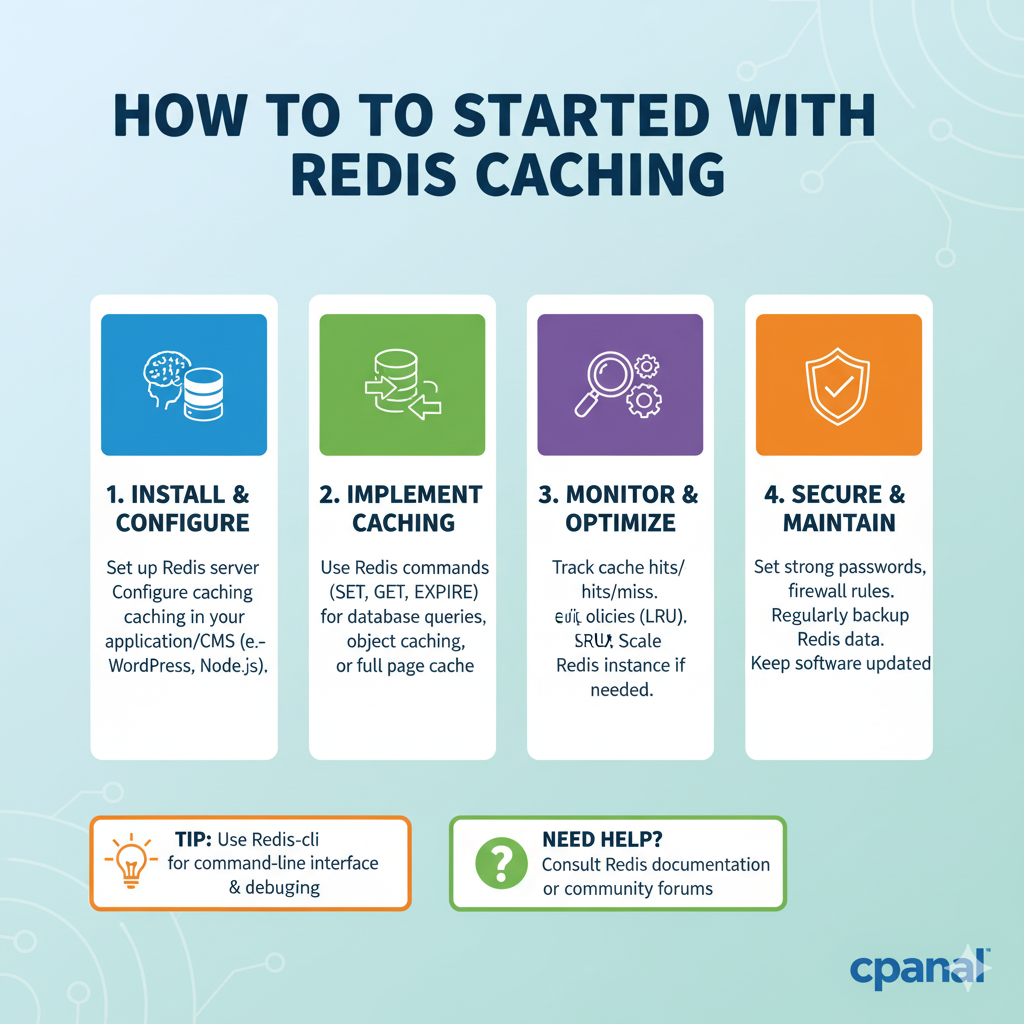
In the world of web development and software systems, performance and scalability are paramount. Users expect fast and responsive applications, and any delay in data retrieval can result in frustration and a poor user experience. One of the most efficient ways to improve the speed of data retrieval is by using caching, and one of the most popular caching solutions is Redis. Redis, an in-memory key-value store, is designed for speed, simplicity, and versatility. It is used for a variety of purposes, including caching, message brokering, session management, and more. In this post, we will cover the basics of Redis, how it works, how to install and configure it, and how to get started with caching in Redis to optimize your applications.
What is Redis?
Redis stands for Remote Dictionary Server, and it is an advanced key-value store that supports a variety of data types such as strings, lists, sets, sorted sets, hashes, bitmaps, and more. Unlike traditional relational databases, Redis stores all its data in memory rather than on disk, which makes data retrieval incredibly fast . Although Redis is often referred to as an in-memory cache, it can also persist data to disk, providing durability alongside fast access. Redis has gained immense popularity because of its speed, flexibility, and the vast ecosystem of tools built around it.
Why Use Redis for Caching?
Caching is a technique to store copies of frequently accessed data in a location that can be accessed more quickly than the original data source. Redis is often used as a caching layer in web applications for the following reasons:
-
High Performance: Redis operates entirely in memory, which makes it much faster than traditional databases that rely on disk I/O.
-
Versatility: Redis supports a wide variety of data structures (e.g., strings, lists, sets), making it suitable for caching different kinds of data.
-
Scalability: Redis is highly scalable and supports clustering, replication, and partitioning to handle larger loads.
-
Persistence: Redis offers optional persistence to disk, making it suitable for scenarios where data durability is required.
Now, let's dive into how to get started with Redis caching.
Installing Redis
Before we can start caching data, you need to install Redis. Redis is available on many platforms and can be installed in several ways depending on your operating system.
Installing Redis on Windows
For Windows, you can use the Redis Windows Subsystem for Linux (WSL) or install it using a precompiled Redis for Windows package. The easiest way to get Redis on Windows is by using WSL and installing Redis as you would on Linux.
Understanding Redis Data Structures
Before diving into caching, it’s essential to understand Redis' data structures, as they allow you to cache different types of data efficiently. Redis supports various data types:
a. Strings
A string is the most basic data type in Redis. You can store any value (e.g., text, integers, or binary data) in a string.
Lists
Redis lists are simple lists of strings, sorted by insertion order. You can perform operations like pushing or popping elements to the left or right of the list.
Sets
Sets are unordered collections of unique strings. Redis sets support operations like unions, intersections, and differences between sets.
Hashes
Hashes are maps between string fields and string values. Hashes are ideal for storing objects and complex data structures.
Sorted Sets
Sorted sets are similar to sets but with a score associated with each element. Sorted sets allow you to retrieve elements by score, making them perfect for leaderboards or ranked data.
Bitmaps, HyperLogLogs, and Geospatial Indexes
Redis supports additional advanced data types like bitmaps (for bit-level operations), HyperLogLogs (for approximate cardinality counting), and geospatial indexes (for storing and querying geospatial data).
Configuring Redis for Caching
Once Redis is installed, you need to configure it for optimal caching. Here are the key configuration options to consider:
Memory Management
By default, Redis is configured to use all available memory. To optimize Redis for caching, you need to set a memory limit:
This eviction policy removes the least recently used (LRU) keys when Redis runs out of memory.
Persistence Configuration
For caching purposes, Redis can be configured to avoid persistence, focusing purely on speed. Set the appendonly configuration to no to disable persistence:
If you want some durability, you can choose RDB snapshots or AOF persistence.
Caching Expiration
In Redis, cached data can be set to expire after a certain period using the EXPIRE command. This is useful for caching data that should only be valid for a short period.
Using Redis for Basic Caching
Now that Redis is installed and configured, let’s look at how to use Redis for caching in your application.
Storing and Retrieving Cached Data
You can store data in Redis using the SET command and retrieve it with the GET command.
Cache Expiry and TTL
One of the primary benefits of caching is controlling the lifespan of data. Use the EXPIRE Command to set a time-to-live (TTL) for cached data:
Conditional Caching
You can implement conditional caching by checking if a cache exists before querying the database. If the cache doesn’t exist, retrieve the data from the database and store it in Redis.
Advanced Redis Caching Techniques
Once you are comfortable with basic caching, you can implement more advanced caching strategies.
Cache Aside Pattern
The cache-aside pattern is when the application retrieves data from the cache and loads it from the database if it’s not found in the cache. It’s ideal for read-heavy workloads.
Write-Through Caching
With the write-through pattern, all write operations (e.g., database updates) go through the cache as well as the database. This ensures the cache is always up-to-date.
Write-Behind Caching
In the write-behind pattern, the cache is updated first, and the changes are asynchronously written to the database. This can be useful for reducing the load on the database.
Redis Persistence Options
While Redis is primarily an in-memory store, it does support persistence to ensure that data is not lost in case of a server restart. There are two main persistence options:
RDB (Redis Database Snapshots)
RDB snapshots save the state of your Redis data at specified intervals. This is the most efficient form of persistence for caching but may result in data loss in the event of a crash between snapshots.
AOF (Append Only File)
AOF logs every write operation received by the server. This offers a higher degree of durability but can impact performance due to the overhead of logging every operation.
Redis Clustering and Sharding
For applications with large datasets, Redis offers clustering and sharding to distribute data across multiple nodes.
-
Sharding divides data into smaller subsets across multiple Redis instances.
-
Redis Cluster is a built-in solution for horizontal scaling, where Redis automatically manages partitioning and data distribution.
Monitoring and Optimizing Redis Caching
Monitoring Redis performance is crucial to ensure your caching layer is efficient and does not become a bottleneck. You can monitor Redis using the INFO command, which provides vital metrics such as memory usage, command statistics, and key eviction rates.
Redis Monitoring Tools
There are several tools available to monitor Redis performance:
-
Redis CLI: Use the
INFOcommand for detailed statistics. -
Prometheus & Grafana: For real-time metrics and visualization.
Redis Security Best Practices
Since Redis often stores sensitive data, securing your Redis instance is crucial. Here are a few best practices:
-
Password Protection: Use
requirepassto set a password for Redis. -
Access Control: Restrict access by binding Redis to specific IP addresses.
Common Redis Caching Pitfalls and How to Avoid Them
Redis is an excellent tool, but it comes with challenges:
-
Cache Invalidation: Ensure your cache expires or is invalidated properly to avoid serving stale data.
-
Memory Management: Be cautious of the memory limit; without proper eviction policies, Redis can consume too much memory.
-
Data Durability: If you need durability, ensure Redis persistence settings are properly configured.
Need Help?
For expert assistance with Redis caching or optimizing your application performance, contact our team at support@informatix.systems.
No posts found
Write a review