Anmelden | Registrieren
Sign in to get more opportunities
- 3/8, North Pirerbag
- 60 Feet Main Road
- Mirpur, Dhaka 1216
- +880-967-8247365
- support@informatix.systems

The Ultimate Checklist for Firewall Setup
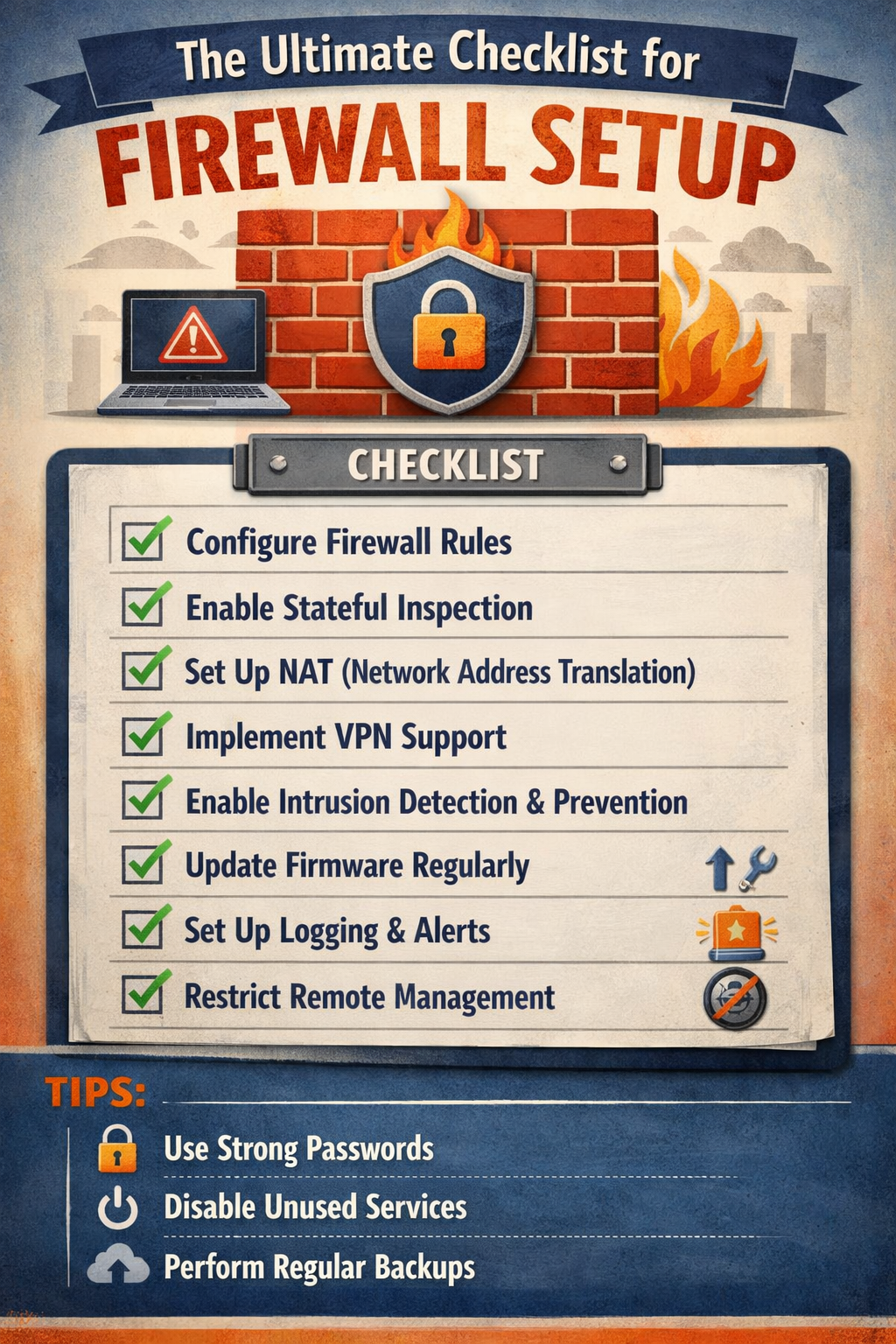
In the modern age of cybersecurity, firewalls play a critical role in safeguarding a network from malicious attacks, unauthorized access, and data breaches. They act as the first line of defense in preventing cyber threats from entering or leaving a network. Whether you are managing a corporate network, a small business infrastructure, or a cloud-based system, having a properly configured firewall is essential.
However, firewall setup is not as simple as just flipping a switch. It requires careful planning, configuration, and continuous management to ensure that it functions as expected. In this comprehensive guide, we’ll walk through the ultimate checklist for setting up a firewall, ensuring your network is protected against the ever-evolving landscape of cyber threats.
Why Firewalls Matter
A firewall serves as a barrier between your internal network and external networks, such as the internet, blocking or allowing traffic based on predetermined security rules. With cybercrime becoming increasingly sophisticated, a firewall acts as a critical component of a multi-layered security strategy. It helps in several ways:
-
Protecting Confidential Information: Firewalls help prevent unauthorized access to sensitive company or customer data.
-
Controlling Network Traffic: By filtering both inbound and outbound traffic, firewalls ensure that only legitimate connections are allowed.
-
Mitigating Cyberattacks: Firewalls prevent common types of attacks, such as Distributed Denial of Service (DDoS), malware infections, and hacking attempts.
-
Regulating Access: They can enforce access policies, controlling which users or devices can connect to certain services within the network.
Types of Firewalls
Before diving into the setup checklist, it’s important to understand the types of firewalls available, as each type serves a different function and has unique configurations.
Packet-Filtering Firewalls
This is the most basic type of firewall that examines packets of data and filters them based on predefined rules. It checks the source and destination IP addresses, port numbers, and protocols.
Stateful Inspection Firewalls
Stateful inspection firewalls track the state of active connections and make decisions based on the context of the traffic (i.e., whether the traffic is part of an established, valid session).
Proxy Firewalls
Proxy firewalls act as intermediaries between the internal network and external systems. They process requests on behalf of the user, hiding the true identity of the internal system from external networks.
Next-Generation Firewalls (NGFW)
NGFWs provide advanced security features, such as application awareness, intrusion detection and prevention, and encrypted traffic inspection. They offer a deeper level of protection than traditional firewalls.
Web Application Firewalls (WAF)
These firewalls are designed to protect web applications by filtering and monitoring HTTP/HTTPS traffic. They are particularly important for safeguarding against attacks like SQL injection, cross-site scripting (XSS), and other application-layer threats.
The Ultimate Firewall Setup Checklist
Define Your Network Security Objectives
Before configuring a firewall, it’s essential to define your network security objectives clearly. What are you trying to protect? What kind of data are you handling? Who needs access to what services? Answering these questions will help you configure the firewall correctly and ensure that the rules are aligned with your security needs.
-
Risk Assessment: Identify potential risks, including unauthorized access, data breaches, and exposure to malware or DDoS attacks.
-
Compliance Requirements: Consider any industry-specific regulations (such as GDPR, HIPAA, PCI-DSS) that require specific configurations and protections.
-
Network Topology: Understand the network architecture, including internal and external connections, subnets, and segments, so you can establish proper access controls.
Choose the Right Firewall for Your Needs
Once you’ve established your security objectives, select the appropriate firewall for your environment. Factors such as the size of your network, traffic volume, and types of threats you face should influence your choice. If you’re dealing with high volumes of data, a stateful inspection or NGFW would be better suited than a simple packet-filtering firewall.
-
Small Business Networks: A basic packet-filtering firewall might be enough for small office setups.
-
Enterprise-Level Networks: Choose stateful inspection firewalls, NGFWs, or even WAFs for protecting sensitive web applications.
-
Cloud-Based Networks: Cloud environments may require a cloud-native firewall or firewall-as-a-service (FWaaS) offering.
Set Up Your Firewall Hardware/Software
Once you’ve selected the firewall type, it's time to physically install (if necessary) or deploy the firewall software.
-
Hardware Firewalls: These are standalone devices that sit between the internal network and the internet. Ensure that the firewall appliance is correctly connected to the network perimeter and configured with redundant power supplies if needed.
-
Software Firewalls: These firewalls are installed on servers or virtual machines. If you're deploying a software firewall, ensure that the host machine has sufficient resources (CPU, RAM) and secure access controls.
Configure Network Interfaces and Zones
Most firewalls have multiple interfaces, and each interface serves a specific purpose. For instance, you might have an internal interface (for LAN traffic), an external interface (for internet traffic), and a DMZ interface (for publicly accessible services). Configuring these interfaces is a crucial step in ensuring proper segmentation and access control.
-
Internal Network: Typically, the most trusted part of your network. Access should be tightly controlled to minimize potential threats.
-
External Network: This is the less-trusted side of the network, where the firewall is exposed to the Internet.
-
DMZ (Demilitarized Zone): This is where you might place public-facing servers such as web servers, email servers, or DNS servers. The firewall helps protect both internal and external systems from attacks.
Implement Network Segmentation and VLANs
Network segmentation is a key strategy for enhancing security. By segmenting your network into separate virtual LANs (VLANs), you can isolate sensitive systems from less-critical ones, limiting the potential damage from a compromised system.
-
Critical Systems: Place important systems like databases and file servers in separate VLANs with tight access controls.
-
Guest Networks: If you offer public Wi-Fi, ensure that guest networks are isolated from internal networks and don’t have access to sensitive resources.
Configure Firewall Rules and Policies
This is the most critical part of the firewall setup: defining and implementing firewall rules and policies. These rules dictate which traffic is allowed or blocked based on various criteria.
-
Allow Necessary Traffic: Start by allowing traffic that is necessary for business operations, such as web traffic (HTTP/HTTPS), email traffic (SMTP, IMAP), and DNS queries.
-
Block Unnecessary Traffic: Deny traffic that isn’t required, such as unused ports, known malicious IP addresses, or any unsolicited incoming traffic.
-
Principle of Least Privilege: Only allow the minimum level of access needed for users or systems to perform their tasks.
-
Logging and Monitoring: Enable logging to monitor all traffic that the firewall allows or denies. This helps in detecting malicious activities or potential configuration errors.
Implement Stateful Inspection and Deep Packet Inspection
For more advanced firewalls like NGFWs, you should enable stateful inspection and deep packet inspection (DPI) to gain a deeper understanding of network traffic.
-
Stateful Inspection: Tracks the state of active connections and ensures that packets are part of a legitimate session.
-
Deep Packet Inspection: Analyzes the content of data packets to detect malicious payloads, intrusions, or policy violations.
Enable Intrusion Detection and Prevention
Intrusion detection and prevention (IDS/IPS) are essential components of modern firewalls. These systems can help identify malicious activity in real time and stop it before it damages your network.
-
IDS: Analyzes traffic for patterns that may indicate malicious behavior and alerts administrators.
-
IPS: Goes one step further and actively blocks malicious traffic as soon as it is detected.
Configure VPN Support
If you need remote access to your network, configuring Virtual Private Network (VPN) support is critical. VPNs allow users to securely access the network over the internet by encrypting their traffic.
-
Site-to-Site VPN: Used to connect two separate networks securely over the internet, typically for branch offices.
-
Remote Access VPN: Allows individual users to connect securely to the internal network from remote locations, such as from home or while traveling.
Test the Firewall Configuration
Before going live with your firewall, it’s crucial to test the configuration to ensure that everything is functioning as expected. Perform a variety of tests, including:
-
Connectivity Tests: Verify that allowed traffic is flowing correctly and that denied traffic is blocked.
-
Security Tests: Use tools like Nmap or Wireshark to scan your firewall and ensure that it’s properly protecting your network.
-
Performance Testing: Ensure that the firewall isn’t introducing significant latency or performance bottlenecks.
Implement High Availability and Redundancy
To avoid downtime due to hardware or software failures, configure your firewall setup for high availability (HA). Redundant firewalls ensure that if one device fails, another can take over without interrupting traffic.
-
Failover Configuration: Set up a secondary firewall that can automatically take over if the primary one fails.
-
Clustering: For enterprise environments, consider clustering firewalls to balance the load and provide failover support.
Establish Ongoing Monitoring and Maintenance
Firewall security doesn’t end with the initial configuration. Continuous monitoring and periodic updates are necessary to maintain protection against evolving threats.
-
Real-Time Monitoring: Use SIEM (Security Information and Event Management) systems to monitor firewall logs and generate alerts for unusual traffic or potential breaches.
-
Patch Management: Keep your firewall firmware and software up to date to protect against newly discovered vulnerabilities.
-
Audit and Review: Regularly audit your firewall configurations and access logs to ensure compliance with security policies and identify potential weaknesses.
Keine Beiträge gefunden.
Rezension verfassen