- 3/8, North Pirerbag
- 60 Feet Main Road
- Mirpur, Dhaka 1216
- +880-967-8247365
- support@informatix.systems

How to Get Started with Email Deliverability
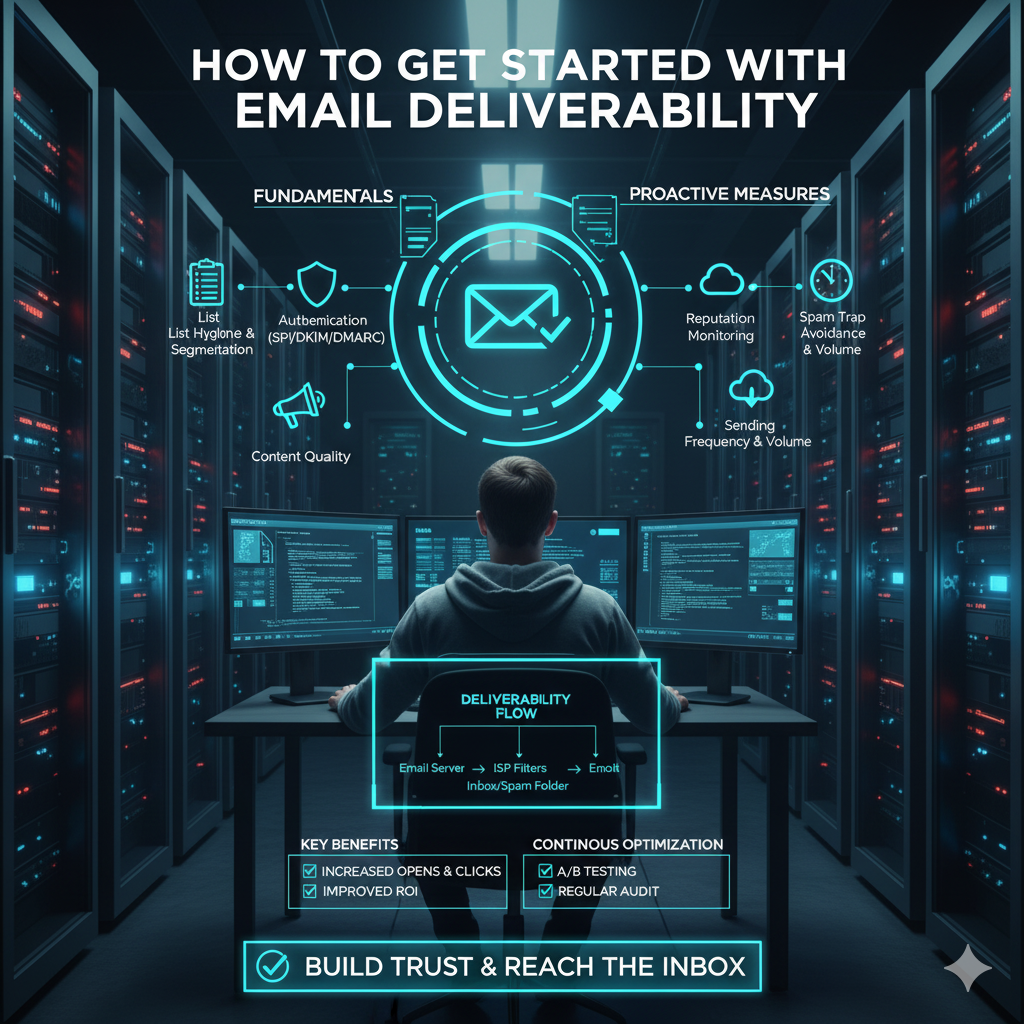
In the digital age, email remains one of the most effective communication channels for businesses. Whether you’re sending newsletters, promotional offers, transactional messages, or customer support emails, ensuring that your messages reach the recipient’s inbox is critical. This is where email deliverability comes into play. At Informatix Systems, we often see businesses struggle with email campaigns that simply don’t land where they should. Your email might get caught in spam filters, blocked by ISPs, or end up in junk folders. Improving email deliverability is not just about technical settings; it involves strategy, ongoing maintenance, and understanding how email ecosystems work. This comprehensive guide will walk you through everything you need to get started with email deliverability, from foundational concepts to practical steps that will improve your email success rates dramatically.
What is Email Deliverability?
Email deliverability refers to the ability of an email message to successfully reach the recipient’s inbox without being blocked or filtered into spam. It’s not simply about sending emails; it’s about sending them in a way that ISPs (Internet Service Providers) and email clients recognize as legitimate and safe.
Why Does Deliverability Matter?
Imagine investing time and money into crafting an email marketing campaign, only to have 20% or more of your emails never appear in your customers’ inboxes. Poor deliverability means lost opportunities, damaged brand reputation, and reduced ROI.
Understanding the Email Ecosystem
Before diving into improving deliverability, it’s important to understand the players and factors involved:
-
Sender: That’s you or your organization sending emails.
-
Recipient: Your subscriber or customer receiving the email.
-
Email Service Provider (ESP): The platform you use to send bulk emails, like Mailchimp, SendGrid, or others.
-
Internet Service Providers (ISPs): Companies like Gmail, Yahoo, and Outlook decide whether to accept and deliver your email based on their filtering algorithms.
-
Spam Filters: Algorithms used by ISPs and email clients to detect and filter out unwanted or harmful emails.
The interaction between these components determines if your emails reach the inbox.
Key Factors Affecting Email Deliverability
Several elements impact whether your email makes it into the inbox:
-
Sender Reputation: ISPs track your IP address and domain reputation. High complaint rates, spam reports, or sending from blacklisted IPs hurt your reputation.
-
Authentication: Proper protocols like SPF, DKIM, and DMARC verify that you are the legitimate sender.
-
Content Quality: Emails with spammy language, excessive links, or misleading subject lines are more likely to be filtered.
-
Recipient Engagement: Low open rates, deletions without reading, or high bounce rates signal poor engagement, damaging deliverability.
-
List Hygiene: Sending to outdated, invalid, or purchased email lists increases bounce and complaint rates.
-
Technical Setup: Server configurations, reverse DNS, and consistent sending IPs also affect deliverability.
Essential Steps to Improve Email Deliverability
Use a Reputable Email Service Provider (ESP)
The choice of your ESP matters greatly. Trusted ESPs maintain good relationships with ISPs and actively manage IP reputations. They also provide tools to monitor your deliverability metrics. Informatix Systems recommends choosing providers with proven deliverability records, advanced analytics, and built-in authentication support.
Set Up Proper Email Authentication
Email authentication ensures that ISPs recognize your emails as legitimately coming from your domain:
-
SPF (Sender Policy Framework) defines which mail servers are authorized to send emails on behalf of your domain.
-
DKIM (DomainKeys Identified Mail) adds a digital signature to verify that the email content hasn’t been tampered with.
-
DMARC (Domain-based Message Authentication, Reporting & Conformance) builds on SPF and DKIM by instructing ISPs on how to handle unauthenticated emails and provides feedback reports.
Correctly setting these up prevents spoofing and phishing attacks that can damage your sender reputation.
Build and Maintain a Clean Email List
A clean email list is one of the foundations of good deliverability. Avoid buying email lists, as they often contain invalid or uninterested contacts, leading to high bounce rates and complaints.
-
Use double opt-in methods to confirm subscribers want your emails.
-
Regularly remove inactive subscribers or those who never engage.
-
Monitor and handle bounces by removing hard bounces immediately and managing soft bounces carefully.
Segment Your Audience
Segmentation lets you send more targeted, relevant emails, which increases engagement and reduces unsubscribes and complaints.
Segment by:
-
Demographics (age, location)
-
Behavior (purchase history, website activity)
-
Engagement levels (active, dormant subscribers)
Personalized content encourages opens and clicks, signaling to ISPs that your emails are wanted.
Craft Quality, Engaging Content
Avoid spammy language like FREE, BUY NOW, or excessive punctuation like "!!!" which can trigger spam filters. Keep your subject lines clear, concise, and honest.
Best practices include:
-
Use a recognizable From name and email address.
-
Write compelling subject lines that set expectations.
-
Provide valuable, relevant content.
-
Include clear calls-to-action, but avoid excessive links or images.
-
Balance text and images for readability.
Monitor Your Sending Frequency
Too many emails can annoy subscribers and lead to unsubscribes or spam reports. Too few, and your audience may forget who you are. Test and find a sweet spot. Use engagement data to adjust your frequency and send emails at times your audience prefers.
Monitor and Analyze Email Metrics
Track key performance indicators (KPIs) such as:
-
Open rates
-
Click-through rates
-
Bounce rates (hard and soft)
-
Spam complaints
-
Unsubscribe rates
This data helps identify problems early, like deliverability issues or content mismatches.
Implement a Warm-Up Plan for New IP Addresses
If you are sending large volumes from a new IP address, ISPs will watch your behavior closely. Sudden high-volume sending can raise red flags. Gradually increase your email volume to build a good reputation. This warm-up process ensures ISPs become comfortable with your sending patterns.
Use Consistent Sending Domains and IP Addresses
Switching domains or IPs frequently can confuse ISPs and harm your reputation. Maintain consistency in your sending infrastructure, and if changes are necessary, plan carefully with gradual transitions.
Handle Complaints and Feedback Loops Promptly
Many ISPs provide feedback loops (FBLs) that notify you when users mark your emails as spam. Respond by removing those users immediately and investigating potential reasons to prevent further complaints.
Advanced Tips for Improving Email Deliverability
Once you have the basics in place, you can explore more advanced strategies to boost your email success.
Implement Engagement-Based Segmentation
Focus more on highly engaged users by creating segments like Active Last 30 Days, sending different messaging or frequency to less engaged users.
Use List Validation Services
Periodically validate your email list using third-party services that detect invalid or risky addresses.
Avoid Spam Traps
Spam traps are email addresses set up by ISPs or anti-spam organizations to catch spammers. Sending emails to spam traps can lead to immediate blocking or blacklisting. Maintain strict list hygiene to avoid hitting spam traps.
Optimize for Mobile Devices
Most emails are opened on mobile devices. Ensure your emails render correctly and load fast on all screen sizes.
Common Deliverability Challenges and How to Overcome Them
Your Emails Land in Spam
-
Check your content for spam triggers.
-
Verify authentication records.
-
Remove inactive users.
-
Avoid purchased lists.
High Bounce Rates
-
Regularly clean your list.
-
Validate new subscribers at sign-up.
-
Remove invalid addresses promptly.
Low Open Rates
-
Improve subject lines.
-
Segment your list.
-
Experiment with sending times.
Getting Blacklisted
-
Monitor your IP reputation.
-
Avoid sending to purchased or scraped lists.
-
Follow best sending practices.
Tools to Help You Monitor and Improve Email Deliverability
There are many helpful tools and platforms designed to assist with email deliverability monitoring, including:
-
Deliverability testing platforms
-
Blacklist monitoring tools
-
Email analytics dashboards
-
Spam filter testing services
Using these tools helps you stay proactive and maintain a healthy sender reputation. Improving email deliverability is an ongoing process that combines technical setup, content strategy, list management, and continual monitoring. The key to success is consistency and a willingness to adapt based on data and feedback. At Informatix Systems, we believe that with the right approach and tools, any business can master email deliverability and turn its email campaigns into powerful, trusted communication channels.
Need help?
Contact our team at support@informatix.systems
No posts found
Write a review