Войти | Регистрация
Авторизуйтесь для получения расширенных возможностей
- г. Dhaka, 3/8, North Pirerbag, 60 Feet Main Road
- +880-967-8247365 (звонок бесплатный)
- Пн-Вс 9.00 - 18.00
- support@informatix.systems
- Посмотреть на карте

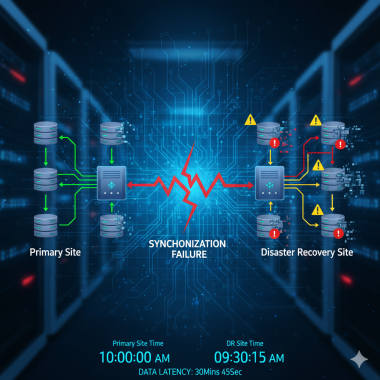
Failover or disaster recovery site synchronization problems.
Failover and disaster recovery site synchronization problems can have serious implications for business continuity. Here's a guide to help you address synchronization issues in your failover or disaster recovery setup: Common Causes and Solutions for Failover/DR Site Synchronization Problems: **1. Network Connectivity Issues: Solution:...
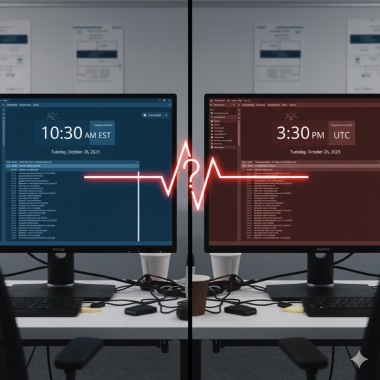
Inconsistent server time or time zone mismatches.
Inconsistent server time or time zone mismatches can lead to various issues, including authentication failures, event log discrepancies, and synchronization problems. Here are steps to troubleshoot and potentially resolve problems related to server time and time zone settings: 1. Verify Time and Time Zone Settings : Check the server's date, time,...
Application crashes.
Application crashes can be frustrating, but there are several steps you can take to address the issue: Check for Updates: Ensure that both the application and your operating system are up-to-date. Developers often release updates to fix bugs and improve stability. Restart the Application: Close the application and try reopening it....
Virtualization issues (Hyper-V).
Virtualization issues in Hyper-V can be caused by various factors, including configuration errors, resource constraints, or hardware compatibility problems. Here are steps to troubleshoot common virtualization issues in Hyper-V: Check Hardware Compatibility : Ensure that your hardware meets the requirements for virtualization and that...
Event log errors or warnings.
Event log errors or warnings are messages generated by the operating system and applications to provide information about events that occur on a computer. Analyzing these logs can help diagnose and resolve various issues. Here's how you can approach event log errors or warnings: Accessing Event Viewer : Open the Event Viewer by searching for "Event...
SSL/TLS certificate expiration or misconfiguration.
SSL/TLS certificate expiration or misconfiguration can lead to security warnings or even prevent users from accessing a website or service securely. Here are steps to address these issues: SSL/TLS Certificate Expiration: Check Certificate Expiry Date: Verify the expiry date of the SSL/TLS certificate. You can do this by examining the...
IIS web server issues.
Issues with the Internet Information Services (IIS) web server can range from configuration problems to performance issues. Here are steps to troubleshoot common IIS web server issues: Check IIS Service Status : Ensure that the IIS service is running. You can do this by opening the Services management console ( services.msc ) and looking for the...
Terminal/RDP connection issues.
Terminal and Remote Desktop Protocol (RDP) connection issues can be caused by a variety of factors, including network problems, configuration settings, or authentication errors. Here are steps to troubleshoot common Terminal and RDP connection issues: Troubleshooting Terminal/RDP Connection Issues: Verify Network Connectivity : Ensure that both...
Сообщения не найдены
Написать отзыв