- 3/8, North Pirerbag
- 60 Feet Main Road
- Mirpur, Dhaka 1216
- +880-967-8247365
- support@informatix.systems

Beginner's Guide to CI/CD Pipelines
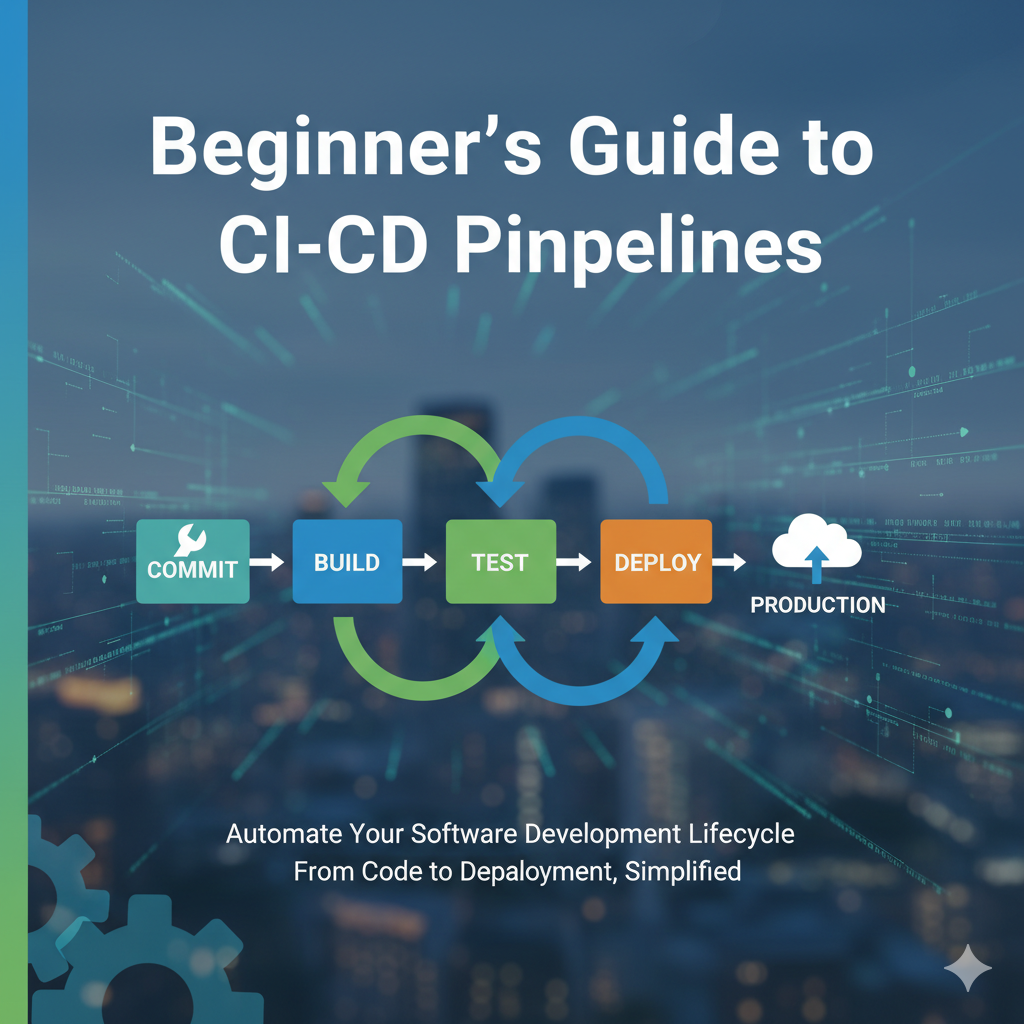
In today's fast-paced software development landscape, delivering high-quality applications quickly and reliably is more important than ever. Businesses are under constant pressure to release new features, fix bugs, and respond to customer feedback all without sacrificing stability or performance. This is where CI/CD pipelines come into play, revolutionizing how teams build, test, and deploy software.If you’re new to software development, DevOps, or automation, terms like Continuous Integration (CI) and Continuous Delivery (CD) might seem intimidating. This beginner-friendly guide will demystify these concepts, explain their importance, and walk you through the basics of setting up and using CI/CD pipelines. Whether you’re a developer, project manager, or IT professional, understanding CI/CD will empower you to improve your software delivery process.At Informatix Systems, we’re committed to helping organizations adopt modern software practices. This post covers everything you need to know to get started with CI/CD pipelines and unlock faster, safer, and more efficient software releases.
What is CI/CD?
Continuous Integration (CI)
Continuous Integration is a development practice where developers frequently merge their code changes into a central repository, often multiple times a day. Each integration triggers an automated process to build and test the new code, ensuring that errors are caught early before they reach production.
Key objectives of CI:
-
Detect integration issues quickly.
-
Maintain a consistently functional codebase.
-
Improve collaboration between developers.
-
Reduce integration headaches at release time.
Continuous Delivery (CD)
Continuous Delivery builds on Continuous Integration by automating the deployment process so that code changes can be released to production (or staging) environments quickly and reliably. It ensures the software is always in a deployable state.
Continuous Delivery involves:
-
Automated deployment pipelines.
-
Rigorous automated testing beyond unit tests (e.g., integration, acceptance).
-
Release approval workflows.
-
Ability to deploy frequently without manual intervention.
Together, CI and CD form a CI/CD pipeline a sequence of automated steps from code commit to production deployment.
Why CI/CD Matters
Accelerated Development Cycles
With CI/CD, software updates can be delivered faster, helping organizations respond rapidly to customer needs and market changes. Frequent releases mean smaller, incremental updates rather than bulky, risky releases.
Improved Software Quality
Automated testing at every stage ensures that bugs are caught earlier, reducing the risk of defects in production. Consistent integration also reduces integration hell, where conflicting code causes late-stage failures.
Reduced Manual Effort and Errors
Automation eliminates repetitive manual tasks like building, testing, and deploying code, which reduces human error and frees developers to focus on coding and innovation.
Greater Transparency and Collaboration
CI/CD pipelines provide clear visibility into the build, test, and deploy processes. Teams can track the status of changes and quickly identify where issues occur.
Scalability and Reliability
As projects grow in complexity, CI/CD pipelines ensure that your processes can scale seamlessly, keeping releases smooth and reliable.
Components of a CI/CD Pipeline
Understanding the core components of a typical CI/CD pipeline will help you grasp how it all fits together.
Source Code Repository
This is the central location where developers commit their code changes. Common platforms include GitHub, GitLab, Bitbucket, and Azure Repos.
Build Automation
Build tools compile your source code into executable programs or packages. This may involve compiling, linking libraries, and packaging files.
Automated Testing
Testing is essential to validate code correctness. Automated tests can include:
-
Unit tests: Test individual functions or modules.
-
Integration tests: Test interactions between components.
-
Functional/Acceptance tests: Test overall application behavior.
-
Performance and load testing.
Deployment Automation
Once the code passes tests, it is automatically deployed to staging or production environments using deployment tools and scripts.
Monitoring and Feedback
Monitoring tools track deployed applications to detect issues, provide logs, and gather metrics. Feedback loops help teams improve the pipeline and the application.
How CI/CD Pipelines Work: Step-by-Step
Here’s a typical CI/CD pipeline workflow that helps visualize the process:
-
Developer commits code: A developer pushes code changes to the shared repository.
-
Trigger pipeline: The commit triggers the CI/CD pipeline to start.
-
Code checkout and build: The pipeline fetches the latest code and builds the application.
-
Run automated tests: The application undergoes automated tests.
-
Test results analysis: If tests fail, the pipeline halts and notifies the team.
-
Deployment to staging: If tests pass, the build is deployed to a staging environment.
-
Approval and manual checks (optional): Stakeholders review the deployment.
-
Deployment to production: Upon approval, the application is deployed live.
-
Monitoring and logging: The system monitors the production environment for issues.
-
Feedback to developers: Any issues found are reported back for fixes.
Tools Commonly Used in CI/CD Pipelines
There are many tools available to build CI/CD pipelines, from open source to commercial solutions. Some popular ones include:
-
Jenkins: One of the most widely used open-source automation servers.
-
GitLab CI/CD: Built-in CI/CD with GitLab repositories.
-
CircleCI: Cloud-based CI/CD with easy configuration.
-
Travis CI: Popular for open source projects, integrated with GitHub.
-
Azure DevOps: Microsoft’s suite offering full CI/CD capabilities.
-
AWS CodePipeline: AWS-native CI/CD service.
-
GitHub Actions: Native GitHub automation workflows for CI/CD.
Each tool has unique features, integrations, and learning curves. The best choice depends on your project size, existing tools, and team preferences.
Getting Started with Your First CI/CD Pipeline
For beginners, the idea of setting up a pipeline might feel overwhelming. Here are some straightforward tips to get started:
Use Version Control
Start by adopting a robust version control system like Git. This forms the backbone of your pipeline and encourages collaboration.
Automate the Build Process
Choose a build automation tool that fits your technology stack. For example, Maven for Java, npm for JavaScript, or Make for C/C++ projects.
Write Automated Tests
Start with unit tests to validate your code. Over time, add integration and end-to-end tests.
Select a CI/CD Platform
Pick a platform that integrates well with your repository and build tools. Many platforms offer free tiers for small projects.
Define Your Pipeline Workflow
Outline the steps: checkout code, build, test, deploy. Begin simple and gradually add complexity.
Set Up Notifications
Configure notifications via email, Slack, or other tools to alert your team of build and deployment status.
Monitor and Improve
Regularly review pipeline metrics and logs to optimize performance and reliability.
Common Challenges Beginners Face and How to Overcome Them
Flaky Tests
Tests that sometimes fail unpredictably create noise and erode trust in the pipeline.
Solution: Improve test reliability, isolate external dependencies, and use retry mechanisms.
Long Build Times
Slow pipelines frustrate developers and delay feedback.
Solution: Parallelize builds, cache dependencies, and optimize test suites.
Complex Pipeline Configuration
Pipelines with many steps and scripts can be hard to maintain.
Solution: Modularize pipeline configurations, use reusable templates, and document everything.
Lack of Proper Rollback Strategy
Deploying broken code without rollback plans causes downtime.
Solution: Implement blue-green deployments or canary releases and automated rollback triggers.
Best Practices for CI/CD Pipelines
-
Keep pipelines fast and reliable: Fast feedback encourages adoption.
-
Version control your pipeline code: Treat pipeline configuration as code for traceability.
-
Automate everything: The more manual steps you eliminate, the fewer errors occur.
-
Use environment parity: Keep development, staging, and production environments as similar as possible.
-
Secure your pipelines: Manage secrets carefully and restrict access.
-
Continuously monitor and refine: Pipelines are living processes that require constant improvement.
The Future of CI/CD Pipelines
The CI/CD landscape continues to evolve with trends such as:
-
GitOps: Managing infrastructure and deployments through Git repositories.
-
AI and Machine Learning: Optimizing pipeline steps and predicting failures.
-
Serverless CI/CD: Leveraging cloud-native serverless services for pipeline tasks.
-
Security Integration: Embedding security tests earlier in the pipeline (DevSecOps).
-
Multi-cloud Deployments: Managing deployments across diverse cloud providers.
Understanding these trends will help you stay ahead and continuously enhance your software delivery.CI/CD pipelines are a cornerstone of modern software development and DevOps culture. For beginners, embracing CI/CD might seem daunting, but with the right approach and mindset, it becomes an invaluable tool that improves software quality, acceleratesdelivery, and fosters collaboration. At Informatix Systems, we encourage teams to adopt CI/CD best practices tailored to their needs. Whether you’re building your first pipeline or optimizing an existing one, the journey starts with small steps and continuous learning.
Need Help?
For assistance with CI/CD or any related inquiries, contact our team at:
support@informatix.systems
No posts found
Write a review